The short answer
- Take off
- Hold R2 / RT for throttle, then pull the left stick back to lift off. The stick is inverted for aircraft by default.
- Turning
- The rudder is Square and Circle on PS5, X and B on Xbox, not the bumpers as in GTA 5.
- Landing
- Hold L2 / LT to slow down as you descend, and come in shallow.
- Free aircraft
- Airfields and helipads marked on the map spawn planes and helicopters with no wanted level. The airport and Mile Zero Air Station get you stars.
- R2 / RT
- Throttle
- Square, Circle
- Rudder on PS5
- On
- Inverted by default
- 5 stars
- Stealing a jet
- 6 min
- Read time
- Nov 2026
- Checked on
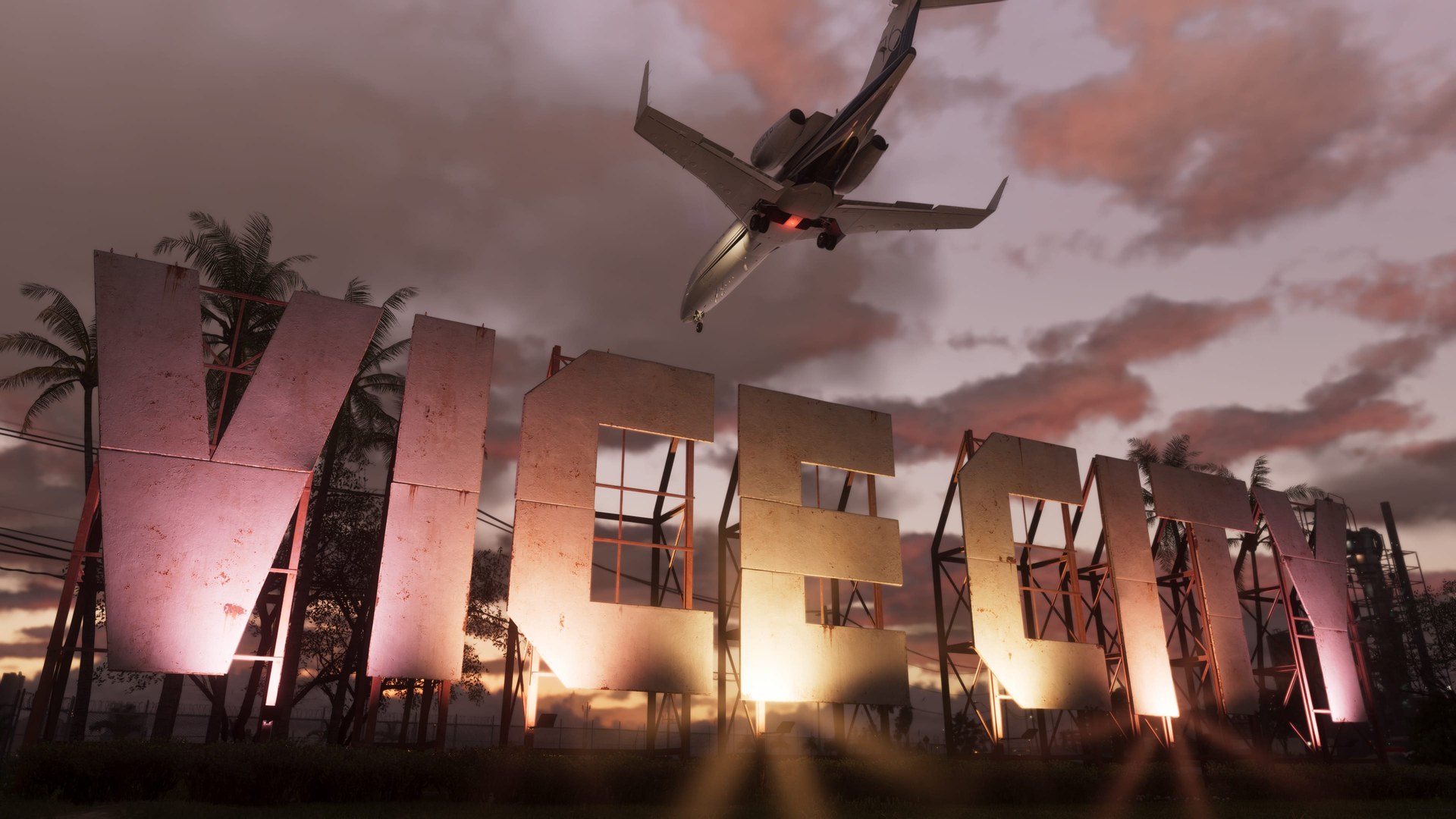
Plane controls: R2 for throttle, the left stick to climb, Square and Circle for the rudder
These are the buttons the game itself shows on the flying tips in the first seaplane mission, PS5 first and Xbox Series X|S second.
| Action | PS5 | Xbox |
|---|---|---|
| Throttle / accelerate | R2 | RT |
| Take off | Pull the left stick back | Pull the left stick back |
| Rudder, yaw left / right | Hold Square / Circle | Hold X / B |
| Slow down on approach | Hold L2 | Hold LT |
The left stick pitches the nose. The rudder works on water too, so use it to line up a seaplane before you open the throttle. Clicking the left stick should raise and lower the landing gear (L3 on PS5). In the P-996 Lazer, hold L1 on PS5 for the weapon wheel with the machine gun and missiles. It starts unarmed. The full button list for every vehicle is in our GTA 6 controls guide.
There doesn’t seem to be an option to move the rudder back to the bumpers. The only aircraft control setting is the stick invert.
Take off with full throttle and a gentle pull on the stick
- Get in and wait a second for the engine. Helicopters take a few seconds to spin up before they will lift.
- On water, point the seaplane at open water with the rudder buttons first.
- Hold R2 / RT and keep holding it.
- Once you are moving, pull the left stick back. With the default inverted setting, back means nose up.
The Lazer jet is the exception. It gets airborne in a very short run, so you don’t need the whole runway at Mile Zero Air Station. Our military base guide has the route in.

Land by holding L2 or LT and coming in shallow
- Line up early. Use the rudder for small corrections instead of rolling the whole plane.
- Let go of the throttle and hold L2 / LT to slow down as you descend. The game shows this tip when you first bring a seaplane in.
- On a runway, lower the landing gear first with a left stick click.
- After touchdown, steer with the rudder. Story missions often ask you to taxi into position after landing.
Seaplane missions practise this a lot. Down to Earth has you land on the water near the boat and then at each drop, and Clear Skies ends with a landing at an airstrip and a short taxi. Your first flight is the escape at the end of Gone Fishing.
Settings that make flying easier: Aircraft Movement, Follow Roll and Reduced Vehicle Damage
- Aircraft Movement (Settings > Controller > Inverted Controls) is On by default, so pushing up dives. Turn it off if you want up to climb.
- Follow Roll in the Camera tab’s Aircraft section rolls the camera with the plane. Switching it off should keep the horizon steadier when you bank.
- Reduced Vehicle Damage in the Accessibility settings cuts the damage your vehicles take. With it on, a plane can bounce off the ground or trees instead of exploding. That is the reason for the crash clips with no explosion. Leave it on while you learn, and switch it off for proper crashes.
More options are covered in our best settings guide.
Where to get a plane or helicopter without getting a wanted level
Airfields and helipads marked on the in-game map spawn aircraft almost every time, and taking them gets you no stars. Anywhere with a yellow restricted zone does.
| Place | What you find | Wanted level |
|---|---|---|
| Map-marked airfields and helipads | Small planes and helicopters | None |
| Airstrips in Mariana County | A plane and a helicopter | None |
| Southwind, the Keys | Floatplanes, plus a helicopter on the helipad by the base checkpoint | None outside the base |
| The coast, Lake Leonida and Grassrivers | Seaplanes and helicopters | None |
| Vice City International Airport (VCIA) | Airliners you can fly | Yes, and fighter jets chase you |
| Mile Zero Air Station, Goose Key | P-996 Lazer jets, Buzzard, Valkyrie and Cargobob helicopters | Five stars, rising to six |
Most tall buildings and big hotels in Vice City should have a helipad on the roof too, so a helicopter is rarely far away in the city. Rockstar’s official map names two more fields worth checking, Wild Hog Airfield in the west and Henry J Edwards Airport in the southwest. Our GTA 6 map guide shows where they are.
Military aircraft have a tracker, so the police can always find them and you can’t keep one. At VCIA, an airliner should mean walking through the cabin to reach the cockpit, and two jets will be on you once you are airborne.
Common flying mistakes and how to fix them
- Pressing L1 and R1 to turn. That was GTA 5. Here the rudder is Square and Circle, or X and B, and the bumpers won’t turn you.
- Pushing up to climb. Aircraft controls are inverted out of the box. Pull back, or turn Aircraft Movement off.
- Climbing to lose the cops. The ceiling is far lower than in GTA 5. An alarm sounds and a red line appears on the map when you hit it. Flying low lowers your chance of being spotted, and the game tells you so on screen.
- Dogfighting the jets that chase a stolen Lazer. They sit behind you, lock on and keep coming, and the Lazer has no flares. A fast straight line should buy you the most time. Your best chance is to eject over the city, parachute down and walk away. Our wanted level guide covers losing the stars afterwards.
- Stealing at the airport for a quick plane. You get stars and a fighter escort. A map-marked airfield is free.
- Thinking the beeping is your fault. A steady beep in the Dodo seaplane, and in stolen jets, keeps going whatever you do with the gear or engine. It seems to be a launch audio bug.
GTA 6 flying FAQ
How do you take off in GTA 6?
Hold R2 (RT on Xbox) to build speed, then pull the left stick back. The game’s prompt for take off is the left stick, not a face button.
How do you fly on Xbox?
RT for throttle, pull back on the left stick to lift off, hold X or B for the rudder and hold LT to slow down before landing. The left stick click should work the landing gear.
Can you change the yaw buttons to L1 and R1?
There doesn’t seem to be a way at launch. The only aircraft control setting is the Aircraft Movement invert.
Why didn’t my plane explode when it crashed?
Check Reduced Vehicle Damage in the Accessibility settings. With it on, aircraft can survive hits that would normally destroy them.
Can you fly the passenger planes?
Yes, the airliners at VCIA are flyable, but stealing one brings a wanted level and two fighter jets.
Where is the easiest plane early on?
The airstrips in Mariana County have a free plane and helicopter with no wanted level.
Source & credit
Grand Theft Auto VI is developed and published by Rockstar Games. Button names come from the in-game tutorial prompts in launch-day mission playthroughs by Sirloin (PS5) and Aquish GTA (Xbox), and from the settings menus. Aircraft spawn notes come from LunarGaming, MrRoflWaffles, TmarTn2, Vadact and Unknown Player, plus player reports on r/GTA6 and r/GTAVI. Images: Rockstar Games.