

Steam Frame owners have been griping about a streaming ceiling since launch: SteamVR’s bitrate slider goes to 350 Mbps, but the wireless stream to the headset holds at 232. A free open-source Windows app now patches that ceiling up to 500 Mbps, reversibly, and the first owner to write up a couple of hours with it reached a conclusion that is more useful than the headline number. Bitrate is almost free to raise. The setting that actually costs you is encode rate.
SteamFrame Advanced Options patches the driver’s 232 Mbps ceiling to 500
The tool is SteamFrame Advanced Options, published on GitHub under an MIT licence by a developer going by elliotttate. It appeared on October 11 and has already reached version 1.8.2. It runs on Windows 11 alongside SteamVR and the Steam Link VR driver, and leans on an NVIDIA GPU for its encoder measurements.
Its headline feature is a driver patcher that, in the author’s words, “raises the driver’s 232/350 Mbps ceilings to 500 Mbps” with verified backups and one-click restore. Around that it bundles a live dashboard graphing what the encoder actually produces, a capacity sweep that raises the target step by step while you play and reports the highest clean rate your network sustains, a codec switch between HEVC, AV1 and H.264, a settings editor for every Steam Link VR option SteamVR hides, and a connection check that tells you whether the dongle negotiated USB 2 or USB 3 speeds. Everything it changes can be put back to stock from inside the app.
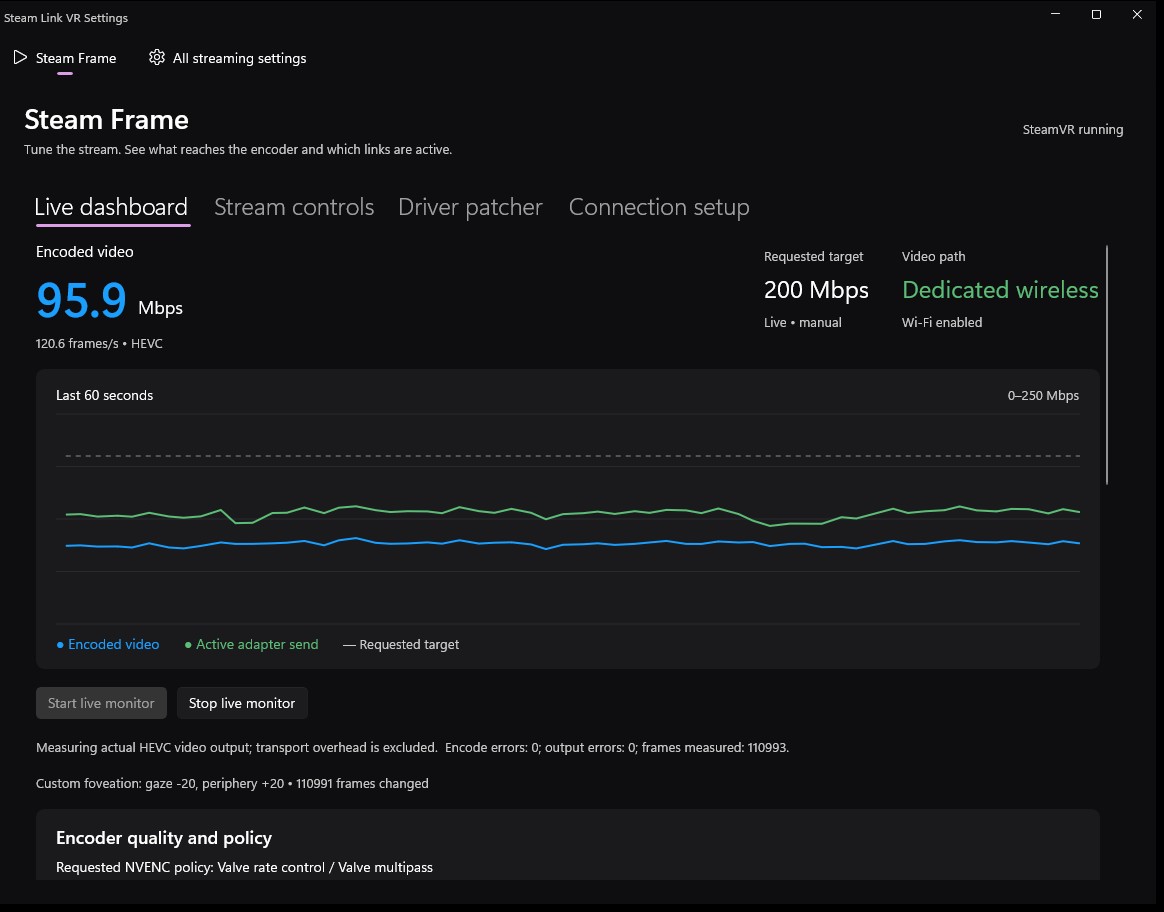
Raising bitrate from 232 to 400 is nearly free, raising encode rate adds input lag
The tool surfaced on the Steam Frame subreddit on Sunday through a user who says a chatbot pointed them at the repo, which they could not find through a normal search. They spent about two hours testing H.264 and AV1 at a range of bitrates and encode rates in Titanfall 2, and their findings cut against the obvious “max everything” instinct.
Taking the bitrate from 232 to around 400 Mbps was “an almost unnoticeable trade off” on a strong network, and their favourite setup was exactly that: 400 Mbps with every other value left at Valve’s defaults. Pushing the maximum encode rate from the stock 1536 to the 2048 ceiling was a different story. “It really taxes the encode and decode processes,” they wrote, and the result was noticeable input lag. Dark scenes with similar shader tones still trouble the compression even at higher rates, while bright, well-lit areas get close to perfect.
The diagnostic side paid off too. The capacity test flagged that their dongle was running at USB 2 speeds despite sitting in a USB 3.2 port. The culprit was an older extension cable, and a new one fixed it.
Valve does not publish the cap, and a driver patch can break with any update
Two things to weigh before patching. Valve has never published the Steam Frame’s streaming bitrate, so the 232 figure is what the driver enforces as read by the tool’s author and by owners watching their encoder output, not an official specification. And this is a patch to Valve’s own driver files. SteamVR updates can overwrite or reject it at any time, which is why the app keeps verified backups and a restore button, and why the poster’s own advice is that Valve’s stock values “aren’t bad values for the everyman”. The author also notes the app never modifies a driver, launches SteamVR or starts monitoring on its own; every change is a deliberate click.
For anyone who wants to try it: the release ZIP bundles its runtimes, so there is nothing else to install, and the guided first run walks through the bitrate override. Start with the capacity sweep before touching the ceiling. If your network cannot sustain more than 232 Mbps cleanly, the patch buys you nothing.
It is the second Steam Frame story this weekend to start with a single owner’s post. The other went the official route: Valve added CD-ROM drive support to the Frame’s kernel a day after one player asked for it.