The short answer
- Where to equip them
- Open the Wardrobe and pick the Adventure Companions tab. Dory, Flounder and Sebastian are not in the regular companions tab with your critters.
- How to get them
- Dory is free and joins during The Four Guardians. Flounder and Sebastian need the Deluxe Edition, the $24.99 Deluxe upgrade or Ultimate Edition 2026, and unlock through Ariel’s quest Undersea Reunion.
- What they do
- They swim with you underwater, where critters can’t follow, and once a day each one fetches a small batch of Black Pearls, Electric Eel Kelp or Doubloons. They level to 5 for a few rewards. No friendship quests and no hangout bonus.
- Crash warning
- On PS5, Xbox and Switch, equipping or unequipping them, or even opening the tab, can crash the game. Save first. To remove one, equip two regular companions in a row, then save.
- 3
- Adventure Companions
- 1 free
- Dory
- Level 5
- Max level
- Wardrobe
- Own tab
- 6 min
- Read time
- Nov 2026
- Checked on
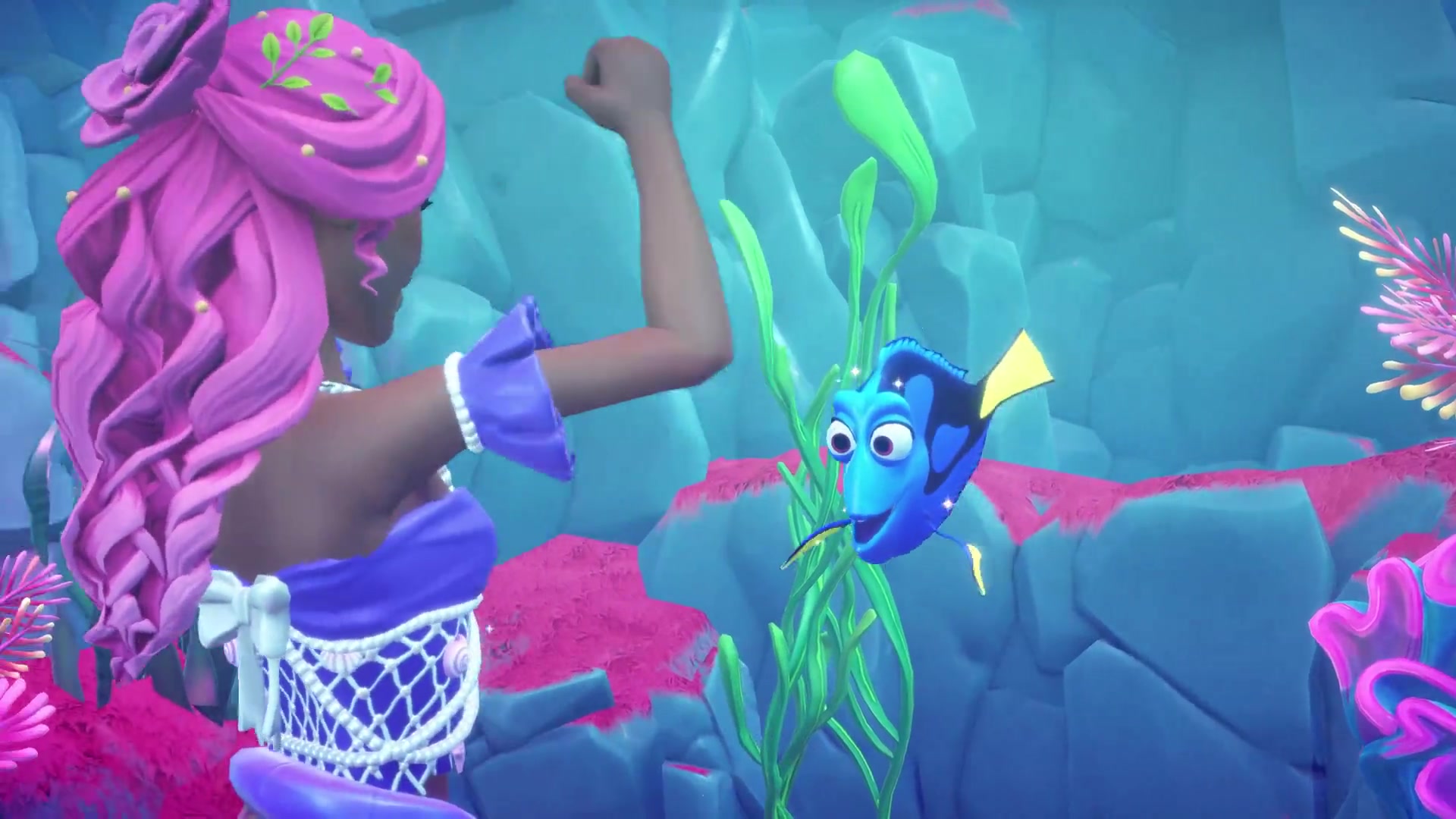
Dory comes free, Flounder and Sebastian come with Deluxe
Adventure Companions are a new companion type in The Keepsake Sea. They talk, they have their own Wardrobe tab, and they’re the only companions that follow you underwater.
| Companion | How to get it | What it does | Edition |
|---|---|---|---|
| Dory | Main story: meet her in the Doubloon Depths during The Four Guardians, then the quest has you equip her | Swims with you, daily Item Assist fetch, floats in a bubble on land. Some later quests need her equipped | Standard (free with the expansion) |
| Flounder | Claim the Deluxe letter in your mailbox, then finish Ariel’s Undersea Reunion | Swims with you, daily Item Assist fetch, floats in a bubble on land. Reward tree includes an arm guard | Deluxe, Deluxe upgrade or Ultimate Edition 2026 |
| Sebastian | Same as Flounder: the same quest unlocks both | Swims with you, daily Item Assist fetch. His last reward is a hairstyle | Deluxe, Deluxe upgrade or Ultimate Edition 2026 |
Dory’s unlock, step by step, is in our Dory guide. Whether the Deluxe extras are worth the money is in our Deluxe vs Standard guide.
Adventure Companions have their own tab in the Wardrobe
If you can’t find Dory or Flounder in your companions list, you’re looking in the wrong tab. Open the Wardrobe, go to Categories and pick the Adventure Companions icon. All three sit there, separate from your critters and Notable Companions.
- Save your game, especially on console.
- Open the Wardrobe and pick the Adventure Companions category.
- Select Dory, Flounder or Sebastian.
Flounder and Sebastian don’t show up in the tab the moment you buy Deluxe. They stay hidden until Undersea Reunion is done, which is why so many players think they’re missing.
Since the expansion launched, your Notable Companions (Max, Lucifer and the rest) may sit at the bottom of the regular companions list instead of the top. Restarting the game puts them back for most players.
Each one fetches a few underwater items a day
Talk to an Adventure Companion and you can ask it to find something for you, the same Item Assist request you already use on villagers. You pick from underwater items: Black Pearls, Electric Eel Kelp or Doubloons. Come back the next day and collect them. Expect three or four of the item, so a request for Black Pearls should give you about four.
A few things set them apart from villagers and critters:
- Item Assist should work from level 1. You don’t have to raise their friendship first.
- They follow you underwater. Critter companions stay behind when you dive, so Adventure Companions are the only company you get in the underwater areas. More on that in our merfolk form guide.
- They talk. Each one has greetings and daily chat topics, and you can give them gifts.
- No hangout bonus and no gathering bonus. They don’t dig like Max or pick up resources for you as you swim.
Once a companion hits level 5, it doesn’t start dropping extra items on its own. The daily fetch is all you get, and it only pays off while you still need those underwater materials. On the other hand, it costs you nothing to ask.
You should also be able to assign Flounder to Ariel the way you assign critters to villagers.
On land they float in a bubble and take your critter’s slot
Adventure Companions follow you out of the water. Dory and Flounder float along in a bubble of water when you go ashore. The catch is that they use the same slots as your critter companions. Equip Dory and your critter is gone, on land too, until you switch back by hand.
Undersea Reunion has you equip Flounder and Sebastian together, so you can have at least two Adventure Companions out at once. That also means equipping both Deluxe companions clears every critter you had.
There’s no setting that swaps companions automatically when you change form. The quickest way to switch is with outfit presets: save one preset with your critters for land and one with your Adventure Companions for the sea, and load the right one when you dive or come ashore. Taming the new Keepsake Sea critters is covered in our critters guide.
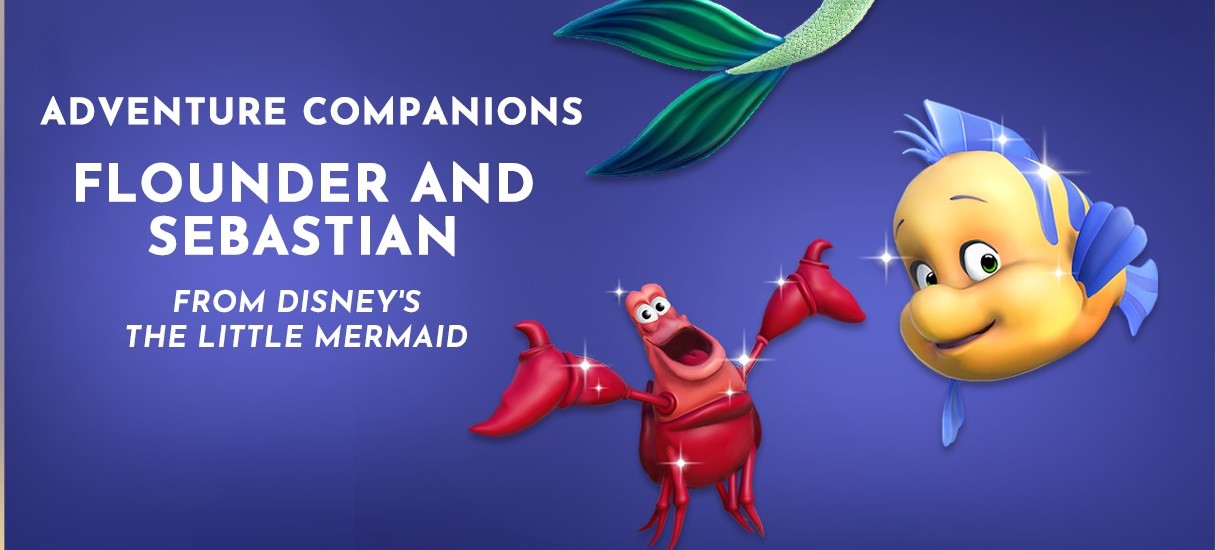
Flounder and Sebastian unlock through Ariel’s Undersea Reunion
Buying Deluxe gets you a letter in your in-game mailbox, but the two companions aren’t added straight away. Ariel gives you a quest called Undersea Reunion after you finish The Four Guardians, and it may not appear until you’ve reached your second island. Standard owners can buy the Deluxe upgrade later in the Premium Shop.
- Before you start, open Ariel’s Dream Styles and switch her back to her mermaid form. If she’s in human form, she follows you in a submarine for the whole quest and some of the bubbles may not count.
- Talk to Ariel, change into your merfolk form and dive into the Doubloon Depths.
- Swim with Ariel, Sebastian and Flounder and surge through the six bubbles.
- The quest needs Flounder and Sebastian equipped together, so Dory has to come off first. Read the crash section below if you play on console.
You can still switch Ariel’s Dream Style mid-quest if you forget. Go back to the surface, change her, and give her time to show up in the underwater area again. It can take about ten minutes.
Undersea Reunion is the only quest Flounder and Sebastian have. There are no friendship quests after it.
Companions cap at level 5, and Sebastian’s last reward is a hairstyle
Gameloft says Adventure Companions unlock reward items as you level them up, the way companions do. The cap is level 5. Gifts count toward it, and you should be able to gift Flounder and Sebastian if you find them swimming near a big underwater rock before Undersea Reunion introduces them.
What we know is on each reward tree:
- Sebastian: a hairstyle as his final reward.
- Flounder: an arm guard for your outfit.
- Dory: her reward items aren’t confirmed yet.
Hitting level 5 doesn’t unlock a new quest. The rewards are the whole payoff.
Equipping, unequipping or opening the tab crashes consoles
On PS5, Xbox Series X, Switch and PS4, the game can close when you equip an Adventure Companion, when you take one off, or when you swap Dory for the Deluxe pair. Since the hotfix, some players crash just by opening the Adventure Companions tab or hovering over Flounder. On PC the companions should equip without trouble.
The fix that gets an Adventure Companion off without a crash:
- Save your game.
- Open the Wardrobe and pick a regular critter companion, not one from the Adventure Companions tab.
- Pick a second critter straight after. The Adventure Companion should now be gone.
- Save again right away.
It only works one way. Once Dory is off, equipping her again can crash too, so finish any step that needs her first. If the game crashes whenever you open the tab, try these:
- Switch Ariel back to her mermaid Dream Style. That can clear the Flounder and Sebastian crash.
- Load an outfit preset that doesn’t have an Adventure Companion on it.
- Try equipping while you’re underwater instead of on land.
Other launch bugs are in our Keepsake Sea bugs guide.
FAQ
How do I find Dory or Flounder in the companions tab?
They aren’t in it. Open the Wardrobe and pick the separate Adventure Companions category. Flounder and Sebastian only appear there after Ariel’s Undersea Reunion.
Can I have an Adventure Companion and a critter out at the same time?
Adventure Companions use the same slots as critters, so equipping one pushes a critter out, on land and underwater. Use outfit presets to switch quickly.
Do Adventure Companions have friendship quests?
No. Dory has story quests that need her equipped, and Flounder and Sebastian have Undersea Reunion. After that it’s levelling to 5 for rewards and the daily fetch.
Can I get Flounder and Sebastian without Deluxe?
No. They come only with the Deluxe Edition, the Deluxe upgrade from the Premium Shop or Ultimate Edition 2026.
Why does Ariel follow me in a submarine during Undersea Reunion?
She’s in her human Dream Style. Switch her to mermaid form, then wait for her to come back to the underwater area.
Checklist
0 of 7
Source & credit
Disney Dreamlight Valley: The Keepsake Sea is developed and published by Gameloft. Companion and edition details come from Gameloft’s official Keepsake Sea news posts and Help Center. Item Assist, levelling, crash and fix reports were cross-checked with players on the Disney Dreamlight Valley subreddit and the Dreamlight Valley Wiki. Images are from the official launch trailer on Steam and Gameloft’s Ultimate Edition 2026 art.
Every Keepsake Sea guide we have, in the order you need them, is in our Dreamlight Valley Keepsake Sea guide.