- Easy
- Difficulty
- 13 min
- Read time
- 8
- Steps
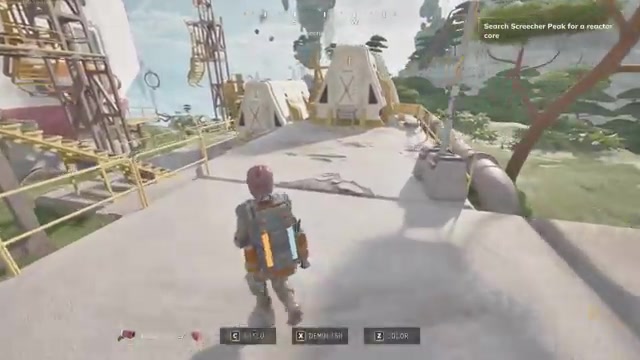
The Reactor Core is sitting in a crashed Cloud Cruiser wreck at Screecher Peak (the objective reads “Search Screecher Peak for a reactor core”), reachable by flying the Hauler (a heavy lifting aircraft with a magnet hoist) out of the Pace facility past the cave, hooking the core, and carrying it back to your Cloud Cruiser to install. Once it’s in, you can repair the ship’s lift and thrust, take the helm, and fly your own base through the sky. This guide is for Atmosfar players who have found the Cloud Cruiser dock but are stuck on where the core is, how to get a Hauler, and how to get the big ship airborne.
Quick start: get the Reactor Core and launch the Cloud Cruiser in 8 steps
- Fly your Wasp to the facility with the connected-electricity door, plug in power, then shoot the control bulb with a stunner to open the hangar door.
- Take the stunner from Irwin near the generator, then cross the cave to the control building and grab the access credentials from the control room.
- Use the access card to unlock the next area, then pilot the crane vehicle (the one with the hoist and magnet) to lift a block off the hidden doorway.
- Toggle the switch inside to open the door and free the Hauler.
- Fly the Hauler out to the Cloud Cruiser crash site and look for the Reactor Core marker.
- Hover directly above the core, lower the hoist, switch the magnet on, and haul it back to your Cloud Cruiser.
- Drop it through the top loading bay, then press F to load the core.
- Press C for the build panel, add two hull pieces, two lift balloons, and an engine thruster, then dock your Wasp and take the helm.
What you need before hunting the Reactor Core in Atmosfar
You need a fueled Wasp, a deployed camp hub with materials, and enough resources to repair your ship and craft the Cloud Cruiser parts afterward.
- Fuel: Carry spare fuel. Fuel canisters respawn near the dock and at the Pace facilities, so top up whenever you pass one. Hold F on a canister to refuel your tank or vehicle.
- Repair materials: Plastic and metal sheets are the main ones. A welder is the repair tool. Your crafting bench and storage must be in range for repairs to draw from them, so park the Wasp near your camp.
- A stunner: You get it from Irwin (see below). You need it for the control bulbs and for fighting the cave creatures.
- Power: Large and small batteries. A blue plant source in the cave can recharge you, but it only gives a limited amount before it needs time to refill.
- Cloud Cruiser parts (craft in advance): 2 metal sheets for hull pieces, fabric and hydrogen crystals for two lift balloons, and pipes plus copper for the engine thruster (8 copper and a couple of pipes covered two thrusters in one trip).
- Optional but helpful: A flare gun to distract guard drones, and the research tech tree unlocks (see mistakes below).
The fastest route from the Cloud Cruiser dock to the Reactor Core
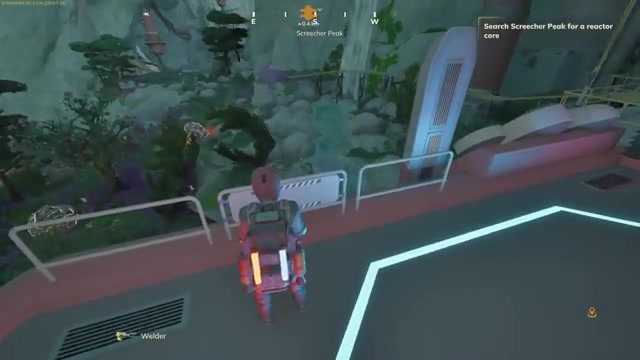
The route runs from your dock to a Pace facility, through an electrically sealed hangar and a monster-filled cave, past a locked control building, and into a hidden area holding a Hauler that you then fly to the crash site.
In plain terms: reach the facility, power the door, get the stunner from Irwin, open the hangar, cross the cave, get the access credentials, unlock the inner area, move the blocking object with the crane vehicle, release the Hauler, fly to the Cloud Cruiser crash, magnet out the core, and carry it home. Expect to avoid or stun creatures in the cave and to dodge guard drones in the inner area.
How to open the hangar and reach the Hauler, step by step
Land at the facility and kill your engine
Land near the facility, turn the engine off, and hop out. A log nearby warns that a Wasp left running while plugged in burns through its fuel to generate electricity, so shut the engine down once you connect power.
Connect electricity to unlock the entrance
Connect electricity at the panel, and the entrance becomes enterable. A log inside explains the system: the safety switch is operated by shooting the coil with a stunner, which connects the flow of electricity. Without the stunner, the door toggle does nothing.
Get the stunner from Irwin
Climb the path up and talk to Irwin, a zoologist who can’t get through the old hangar door. He tells you to take his stunner by the generator, and you’ll need it against the Marati, which are fast and punch hard. Pick it up and your first real weapon is yours.
Shoot the control bulb, then toggle the door
Switch to the stunner and shoot the control bulb. Then press F on the toggle and the big door opens. If it doesn’t respond, you probably haven’t hit the bulb.
Cross the cave and watch for the creatures
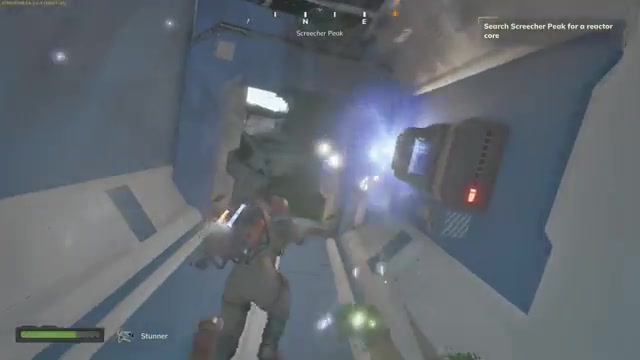
Inside the large cave, follow the path and the pipe alongside it. Keep your stamina up in case you need to run. Creatures here need several stunner hits before they back off, and you can encounter adults. Their attacks drain your power, so top up with a large battery if you run low.
Find the access credentials in the control room
A control building near the path needs an access card. Keep exploring away from your arrival path and you’ll find another structure. Go in, head down to a door with a hand crank, grab the crank, and the control room holds the access credentials and a tool. To leave, switch to the stunner and shoot the bulb on the exit.
Unlock the inner area and move the blocking object
Return to the locked door, use the credentials, and toggle it open. Beyond it, you’ll find a landing pad and a crane vehicle with a hoist and magnet. A building is blocked by an object you can only clear with it. Pilot the crane vehicle: the hoist controls use number keys, with 2 lowering the hoist and 3 operating the magnet. Position yourself above the block, magnet on, lift it, fly it aside, and magnet off. This exposes the door.
Free the Hauler
Land on the platform, go through the door, and toggle the switches inside to open the Hauler’s door. A nearby side passage holds batteries, food, electronic scrap, and a data drive. Guard drones will spot you here, so grab what you want and get out.
Atmosfar
How to find the Reactor Core at the crashed Cloud Cruiser
The Reactor Core is at a Cloud Cruiser crash site, found by flying the Hauler out of the facility and searching around the wreck for a door and the core itself.
Refuel the Hauler first
Before flying, refuel the Hauler. The fuel supply is thin, so put canister fuel into it. Fueling it before leaving matters because you won’t know where you’ll end up.
Avoid the poison clouds
Fly out and park near the wreck, drop your landing gear, and walk around. Don’t walk through the clouds near the crash. They damage you quickly and can kill you.
Locate the core and grab the data disk
There’s a door on one side of the wreck. Inside, the Reactor Core is visible, and there’s a data disk to pick up. Toggle the switch there to open the way, then return to the Hauler.
How to haul the Reactor Core back with the magnet
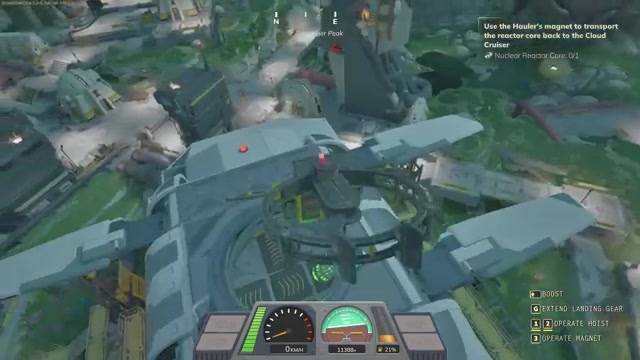
Hover the Hauler directly above the core marker, lower the hoist with 2, operate the magnet with 3, then raise it with 1 and fly back following the compass marker.
- Pilot the Hauler and move over the marker. You can’t see straight down easily because the nose dips, so approach and adjust forward and up a little at a time.
- Lower the hoist until you’re close, switch the magnet on, and bring the core up.
- Follow the heads-up compass marker to the Cloud Cruiser.
Install the core through the top loading bay
Entering the Cruiser’s lower area with the core in tow won’t help; the core has to come in from the top. Position over the loading bay, which opens as you approach, lower the core down, switch the magnet off, and raise the hoist. Park, switch off the Hauler’s engine, and make sure the magnet is no longer operated before exiting. If your Wasp seems to have vanished, use the recovery call (F) to bring it back.
Then walk to the opening and press F to load the core. When it reads installed, the nuclear reactor is live.
How to repair the Cloud Cruiser so it can fly
Press C to open the Cloud Cruiser building panel, and it lists what you must add to restore thrust and lift: an engine thruster, two hull pieces, and two lift balloons.
Add the hull pieces
Each hull piece costs one metal sheet. Rotate the piece so it fits as a wall rather than a floor piece, and place two. A door on the side can open the landing platform halfway, which is where your Wasp parks.
Craft and place the lift balloons
A lift balloon needs fabric and a hydrogen crystal. Deploy your camp to craft them, bring the materials back, and place one on each side. Adding any part adds weight, so lift balloons are what offset it.
Place the engine thruster
The thruster costs pipes and copper. Place it at the back of the ship once you’ve worked out which end is the front. One thruster is enough to restore thrust, though the ship feels like it wants more engines.
Add the fuel tank and hydrogen siphoners
The next requirements are a fuel tank (sheet metal and resin) and four hydrogen siphoners (circuit boards and hydrogen crystals among the parts). Build the fuel tank in the corner near the engine. Siphoners are external pieces, so mount them on the outside, such as the roof or balcony areas. Once built, you get a full hydrogen fuel supply, which can top up your Hauler too.
How to fly the Cloud Cruiser once it’s repaired
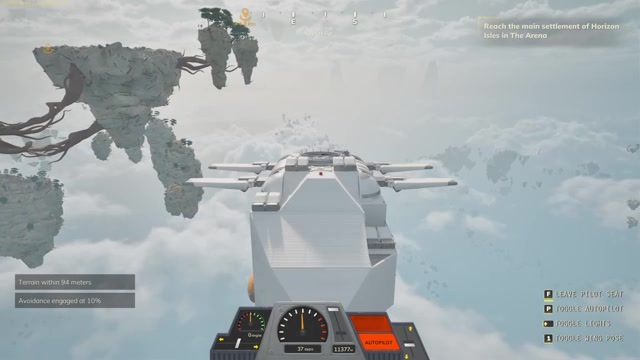
Dock your Wasp on the Cruiser’s pad (it parks automatically), go to the helm, and take the helm to pilot the ship, which lifts off by itself.
Basic flight controls
- Push forward to move forward. Thrust and heading hold their position, so you can ease off the controls.
- Press P to toggle autopilot. It avoids hazards on its own, and you can leave the pilot seat while it moves.
- Top speed observed was 35 to 40 km/h, and the ship turns slowly.
- When a collision warning appears, the ship slows and steers around the hazard, so you may need to add power again afterward.
Follow the marker and watch your elevation
If a destination marker keeps moving or the distance grows, you’re likely flying beneath or past it. A marker that seems to shift on the compass may be directly above you. The ship needed to climb to roughly 12,500 m elevation to break through the clouds and reach the next objective. The area approaching it had some lag.
The ship can’t dock at the weather station, so stop the thrust, let it hover, and use your Hauler or Wasp to get across. Place a research desk and a large storage trunk on board to set up a floating base.
6 mistakes that cost you time while finding the Reactor Core
- Flying into Screecher Peak with no repair materials: Birds around the peak attacked and broke the Wasp on the way in. Carry plastic and metal sheets for the welder, and if you go down, press F to call recovery.
- Repairing out of range: The welder needs your materials in range, so park beside your camp. Also, the Wasp won’t start if it’s missing plastic and metal sheets.
- Leaving the engine on while plugged in: The Wasp burns fuel generating electricity. Switch it off when connected.
- Trying to open the hangar without the stunner: The toggle won’t work until you shoot the control bulb.
- Skipping the tech tree: The journal has a tech tree with upgrades such as the Data Drive Extractor (sometimes extracts data drives from scrap), Mark II engine, solar panels, and Cloud Cruiser extras like the galley and autonomous flight. Spend points before heavy scrapping.
- Entering the Cruiser’s lower area with the core: It has to be lowered in from the top bay.
Atmosfar How to Find the Reactor Core and Fly the Cloud Cruiser FAQ
Where do I find the Reactor Core in Atmosfar?
The Reactor Core is at a crashed Cloud Cruiser site reached by Hauler. Inside the wreck, past a door, you’ll see the core and a data disk, and a marker shows its position once you pilot the Hauler.
How do I get the Hauler in Atmosfar?
You free the Hauler by clearing a blocked doorway with the crane vehicle and toggling the switch inside. To get there you need the stunner, the access credentials from the control room, and power connected at the facility.
How do I carry the Reactor Core to the Cloud Cruiser?
Use the Hauler’s hoist and magnet. Hover over the core, lower with 2, operate the magnet with 3, raise with 1, then follow the compass marker back and lower it into the Cruiser’s top loading bay.
How do I install the Reactor Core?
After lowering it into the loading bay, switch the magnet off, exit, walk to the opening and press F to load the core. Open the building panel with C afterward.
What does the Cloud Cruiser need to fly?
It needs an engine thruster, two hull pieces, and two lift balloons for thrust and lift, plus a fuel tank and four hydrogen siphoners for fuel. Each addition adds weight, so lift matters.
How do I steer the Cloud Cruiser?
Take the helm and push forward to move, then press P for autopilot, which dodges hazards. It turns slowly and tops out around 35 to 40 km/h.
How to find the Reactor Core and fly the Cloud Cruiser in Atmosfar checklist
0 of 11
Source & credit
This guide draws on the excellent video walkthrough by Surtr Plays. Watch it for the full visual run-through, and give the creator your view: