- Easy
- Difficulty
- 3 min
- Read time
- 8
- Steps
30-Second Quick-Start (TL;DR)
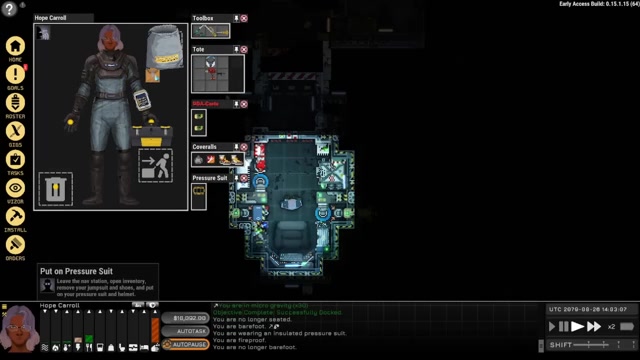
- Access the refuel kiosk at your home station (KLEG) to buy nitrogen, oxygen, and power
- Buy nitrogen for navigation thrusters, oxygen for breathing, and power for ship systems
- Slide each resource to your desired amount and pay the total cost in one transaction
- Monitor your ship’s gas tanks and battery levels regularly during gameplay
- Plan refueling trips before long journeys—running out of oxygen or nitrogen mid-journey is fatal
- Use time controls to speed up waiting time between refueling runs
- Early game: refuel after every 2–3 scavenging runs to avoid shortages
What This Guide Helps You Do
This guide teaches you how to refuel your ship, understand what each fuel type does, and manage your life support systems so you don’t run out of breathable air or navigation fuel mid-journey. You’ll learn the practical steps to access the refuel kiosk, what resources to buy, and how much to stock for different mission types. This is essential for any player past the tutorial—running out of fuel or oxygen is one of the quickest ways to die in Ostranauts, and knowing how to refuel properly keeps you alive and flying.
This guide works best if you’ve completed the tutorial and are starting your first real salvage runs, or if you’re returning to the game and want to understand the refueling system more deeply.
Requirements & Prep
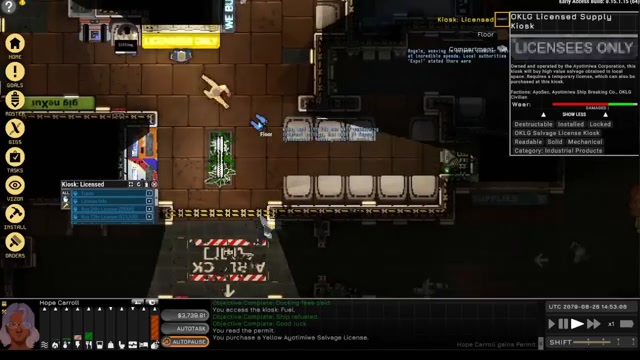
You’ll need access to a refuel kiosk, which is available at KLEG (your home station) and likely at other major stations once you travel further. You’ll also need money in your account—refueling costs depend on how much you buy, but expect to spend several hundred to a few thousand credits per refuel depending on your ship size and how depleted your tanks are.
Before refueling, check your ship’s current tank levels through your ship’s systems menu or by mousing over your ship’s status indicators. It’s helpful to know roughly how much fuel you’ve used on your last trip so you can estimate how much to buy for your next one.
Route Overview
Refueling in Ostranauts is straightforward once you know where to go. After docking with KLEG (or another station with a refuel kiosk), you’ll navigate to the kiosk interface. The kiosk presents three main resources: nitrogen for your thrusters, oxygen for your crew to breathe, and power (battery charge) for your ship’s electrical systems. You select how much of each resource you want to purchase by sliding a bar for each one, then confirm the purchase. The cost is calculated instantly, and if you’ve enough credits, the transaction completes and your ship’s tanks are refilled. The whole process takes less than a minute of in-game time, though you may want to use time controls to speed up the actual transfer of fuel into your tanks.
Step-by-Step Walkthrough
Navigate to Your Home Station or a Refuel Kiosk
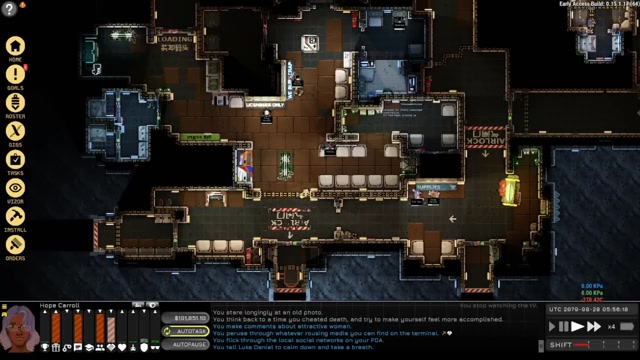
After you’ve finished a scavenging run or any activity that depleted your fuel, pilot your ship back to KLEG or another major station. Use your navigation console to set a target and match speed as you approach the docking clamps. Once you’re close enough and aligned, clamp onto the station. The tutorial walks you through this process, but the key is keeping your relative velocity (VREL and VCRS) low—under 100 m/s is safe for docking.
Disembark and Locate the Refuel Kiosk
Once docked, suit up if you’re in a vacuum environment (your pressure suit will keep you safe), then exit your ship and walk through the station corridors. On KLEG, the refuel kiosk is in a central area where you’ll also find other service kiosks like the supplies vendor and the scavenging license kiosk. Look for signage or ask an NPC if you’re unsure. The kiosk will be interactive—just click on it to open the refueling interface.
Open the Refuel Kiosk Interface
When you interact with the refuel kiosk, a menu appears showing three resource bars: nitrogen, oxygen, and power. Each bar has a slider that lets you adjust how much of that resource you want to purchase. The bars typically start at zero or at your current tank level—the interface shows you what you’re buying, not what you currently have.
Determine How Much Nitrogen to Buy
Nitrogen is used by your ship’s thrusters for navigation and maneuvering. If you’ve just done a short scavenging run near KLEG, you may have used only a small amount. For a long journey or multiple trips, you’ll want to refill closer to maximum. Slide the nitrogen bar to the right to increase the amount. The cost per unit is displayed, and the total cost updates as you adjust. A full tank of nitrogen is a safe choice if you’ve the credits—running out of thruster fuel in the middle of space is dangerous.
Determine How Much Oxygen to Buy
Oxygen is what your crew breathes. You’ll need to pay attention to oxygen levels during spacewalks—your pressure suit holds a limited amount of breathable air. For your ship’s main tanks, oxygen is consumed passively by crew members over time. Planning a long journey with crew aboard? Stock more oxygen. For short scavenging runs, a moderate amount suffices. Slide the oxygen bar to adjust. Remember: if you run out of oxygen mid-journey with no way to resupply, your crew will suffocate.
Determine How Much Power to Buy
Power (battery charge) runs your ship’s electrical systems—lights, doors, life support pumps, and other equipment. A ship with more systems running will drain power faster. Early in the game, your ship is small and power consumption is low, so you won’t need to buy as much power as oxygen or nitrogen. Don’t neglect it though. Slide the power bar to a reasonable level. If your ship has been idle and you’ve had time to recharge via solar panels or other means, you may need less.
Confirm the Purchase
Once you’ve adjusted all three sliders to your desired amounts, a total cost appears. Click the confirm button to complete the purchase. The kiosk will deduct the credits from your account and begin transferring fuel to your ship’s tanks. This transfer happens over a short period of in-game time—you can use the time controls to speed it up if you want to move on quickly.
Monitor Your Tanks During Gameplay
As you fly and work, your ship’s fuel reserves deplete. You can check your current levels by opening your ship’s status menu or by looking at indicator bars on your HUD. Keep an eye on these levels, especially on longer journeys. If you’re planning a multi-day trip, calculate roughly how much fuel you’ll need and refuel accordingly before you leave.
Understanding Your Three Fuel Types
Nitrogen (Thruster Fuel)
Nitrogen powers your ship’s reaction control thrusters, which let you spin, accelerate, and decelerate in space. Without nitrogen, you can’t maneuver—you’ll drift helplessly. You measure speed relative to other objects (VREL and VCRS), and nitrogen is what lets you adjust those velocities. Scavenging runs near KLEG use less nitrogen than distant journeys. Always ensure you’ve enough nitrogen to return home safely.
Oxygen (Breathable Air)
Oxygen is consumed by your crew as they work and live aboard the ship. Your pressure suit also holds a limited amount of oxygen for spacewalks—when you’re outside the ship in a vacuum, your suit’s air is your lifeline. Watch for helmet alarms during spacewalks to ensure you don’t run out of air outside the ship. For your ship’s main tanks, oxygen is a passive resource that keeps your crew alive during long journeys.
Power (Battery Charge)
Power runs all electrical systems on your ship: lights, doors, pumps, welders, and life support. A ship with many systems or systems running continuously will drain power faster. Early game ships are small and draw less power. As you upgrade and expand your ship, power consumption increases. Always have enough power to run critical systems like life support.
Troubleshooting & Common Mistakes
- Running out of oxygen mid-journey: Plan your fuel purchases based on trip length. Attempting a week-long journey with only three days of oxygen will kill you. Calculate roughly how many days your journey will take and stock accordingly.
- Running out of nitrogen before reaching your destination: Nitrogen consumption depends on how much maneuvering you do. If you’re making frequent course corrections or docking with multiple targets, you’ll use more nitrogen. Buy more than you think you need for long trips.
- Power depletion causing life support failure: If your ship’s power runs out, critical systems like oxygen pumps may stop working. Keep power levels moderate to high, especially on longer journeys. Power is needed to make the ship work—don’t neglect it.
- Not checking fuel levels before long trips: Develop a habit of checking your tank status before leaving KLEG. The HUD shows your current levels. If you’re below 50% on any critical resource, refuel before departing.
- Forgetting to refuel after scavenging runs: After salvaging a derelict, you’ve used fuel to reach it and return. Refuel immediately upon docking so you’re ready for the next run. Don’t assume you’ve enough for another trip.
- Buying too much fuel and wasting credits: Early game money is tight. Buy enough to complete your planned activities with a safety margin, but don’t max out all three bars if you’re only doing a short run. As you earn more, you can afford to keep fuller tanks.
- Confusing your ship’s oxygen tanks with your suit’s air: Your pressure suit holds breathable air separate from your ship’s main oxygen tank. When you’re outside the ship, you’re breathing suit air. When you’re inside, you’re breathing ship air. Both can run out independently. Check helmet alarms during spacewalks.
Advanced Tips & Time Saves
Use Time Controls During Refueling: You can adjust game speed from 0.25x to 16x normal speed. When you’re waiting for fuel to transfer into your tanks, set the game to 16x speed to skip the waiting period. You’ll be refueled and ready to fly in seconds of real time.
Refuel in Batches: Instead of refueling every time you run low, plan your scavenging runs in clusters. Do 2–3 salvage runs, then return to KLEG and refuel once. This saves time and reduces the number of docking and undocking cycles, which is safer than constantly entering and leaving the station.
Calculate Fuel Efficiency: After a few runs, you’ll develop a sense of fuel consumption. A short scavenging run near KLEG might use 20% of your nitrogen and 10% of your oxygen. A distant run might use 60% of both. Use this knowledge to buy just enough fuel for your planned activities, saving credits for ship upgrades.
Presupply for Crew: If you hire crew members, they consume oxygen passively. Once you can afford 60,000–80,000 credits in collateral death pay, you can hire crew. With crew aboard, increase your oxygen purchases accordingly. More crew means faster oxygen depletion.
FAQ
How do I refuel my ship in Ostranauts?
Go to a refuel kiosk (located at KLEG and other major stations), interact with it, and use the three sliders to select how much nitrogen, oxygen, and power you want to buy. Confirm the purchase and your ship’s tanks will be refilled. The entire process takes less than a minute of in-game time, and you can speed it up using the game’s time controls.
What happens if I run out of oxygen or nitrogen?
If you run out of oxygen while in space with crew aboard, your crew will suffocate and die. If you run out of nitrogen (thruster fuel), you’ll lose the ability to maneuver and will drift helplessly through space, unable to dock or change course. Both are fatal if you can’t resupply. Running out of oxygen on a long journey will kill you.
How much fuel should I buy for a scavenging run?
For short runs near KLEG, buy enough to refill your tanks to 50–75% capacity. For longer journeys, refill closer to maximum. The exact amount depends on how far you’re traveling and how much maneuvering you’ll do. After a few runs, you’ll develop a sense of consumption rates. When in doubt, buy more—running out is worse than spending extra credits.
Can I run out of fuel on my pressure suit during a spacewalk?
Yes. Your pressure suit holds a limited amount of breathable air that’s separate from your ship’s oxygen tanks. Watch for helmet alarms during spacewalks and return to your ship immediately if alarms start flashing or beeping. If you run out of suit air outside the ship, you’ll die in the vacuum.
Does my ship consume power when it’s docked and idle?
Power is needed to make the ship work, and you should keep power levels moderate to high on longer journeys. Assume that systems like life support pumps consume power passively. Don’t let your power drop to zero, especially if crew are aboard.
How often do I need to refuel?
Refuel after every 2–3 scavenging runs early in the game, or whenever your fuel reserves drop below 30% on critical resources. As you earn more money and expand your ship, you can afford to keep fuller tanks and refuel less frequently. Planning your fuel purchases based on trip length and activity level is key to survival.
Checklist
0 of 12
Source & credit
This guide draws on the excellent video walkthrough by Kitfox Games — watch it for the full visual run-through, and give the creator your view: