The short answer
- Where to claim
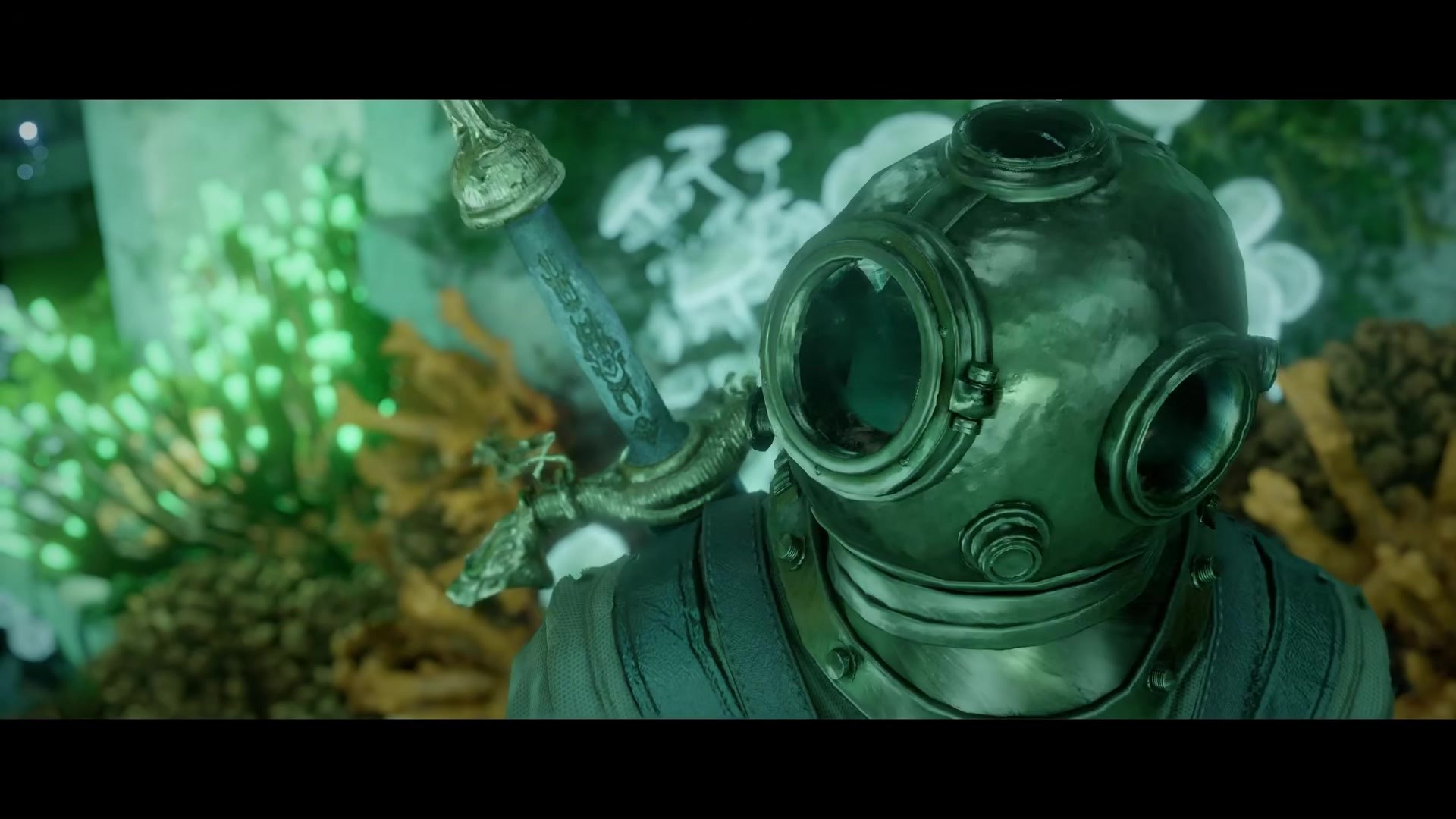
- Pause the game, then Others > Add-ons > Receivable Items > Receive. The pre-order diving set, Twitch drops and edition bonuses all land there. Some PC and PlayStation players found the set delivered to their inventory without this step.
- Xbox
- It is an official known issue: “Certain items, such as Drops and pre-order rewards, may not display in the Add-ons menu and cannot be claimed.” Nothing you do on your console fixes it. Pearl Abyss listed it on October 31 and has not given a date.
- Twitch drops
- Also officially broken on the Drops page. Claim each reward in the stream chat instead, then link your Twitch account on the Drops event page. Most players also had to create a Pearl Abyss account and link Twitch and their platform there before the Claim button appeared.
- PlayStation
- If the add-on is empty, the DLC may have installed badly. One player deleted and reinstalled Charting the Unknown from the PS app, got an error on the second attempt, and the diving suit appeared anyway.
- 26 GB
- DLC download
- Nov 4
- Week 1 drops end
- +120
- Breath from the pre-order helm (reported)
- Oct 31
- Known issues updated
- 6 min
- Read time
- Oct 2026
- Checked on
30-second quick start (TL;DR)
- PC and PlayStation: Pause, Others, Add-ons, Receivable Items, Receive. Check your inventory’s last tab too.
- Xbox: known issue, officially acknowledged, no fix yet. Do not buy the DLC again.
- Twitch drops: claim in the streamer’s chat box, make a Pearl Abyss account, link Twitch and your platform, then claim on the Drops page.
- DLC not showing at all: check your store purchase history and install it manually; make sure base game and DLC are on the same version.
- Key resellers: bonuses took a couple of days to arrive for the base game. Give it time before opening a ticket.
- Deluxe armour vanished after the update: same Xbox bug. It is tied to the add-on licence, not deleted.
What this guide helps you do
The single most common Charting the Unknown question on launch weekend was not about ships or marriage. It was “where is my diving suit?” This guide covers the claim path that works, what is officially broken and on which platform, the Twitch drop workaround that Pearl Abyss itself recommends, and the handful of cases where the DLC did not install at all. It quotes the Known Issues notice as updated on October 31, 2026, and labels player fixes as player fixes.
If you already have your gear and want to know what to do with it, start with the diving guide.
What you are owed
| Item | Who gets it | What it is |
|---|---|---|
| Pre-order diving set | Anyone who pre-ordered the DLC (the set is named Charter’s Diving Set or Light Diving Set depending on the hero) | Helm and suit with about +120 max breath each, gloves and boots with +2% swim speed each, according to one report. The heavy set fits Kliff and Oongka. |
| Twitch drops, week 1 | Base game owners who watch linked streams October 29 to November 4 | Cosmetics; one PlayStation player’s 180-minute reward was a parrot and parrot eyepatch. |
| Twitch drops, week 2 | DLC owners, November 5 to 11 | Ship cosmetics for a medium ship: the Fair Wind figurehead, stern and sail, per one report. |
| Edition bonuses | Deluxe and platform-exclusive edition owners | The armour sets you already had. Several Xbox players saw them disappear with the update because they come from the same add-on system. |
Step-by-step: the fix list in order
Tick these off as you go. Your progress stays on this device.
Check the Add-ons menu
Pause, Others, Add-ons. Open Receivable Items and press Receive on each entry. Some players had used this tab so rarely that they did not know it existed.
Check the inventory’s last tab
Claimed add-on items can appear as purple entries in the final inventory tab and in personal storage. Look before you report.
Confirm the DLC is actually installed
If Add-ons is empty and no ocean content has appeared, open your store’s purchase history. Players on Xbox and PC found Charting the Unknown listed as bought but not installed. Install it from there (26 GB). Do not buy it again.
Match versions
The game can crash or hide content if the base game and DLC are on different versions. Update both, then restart.
PlayStation: reinstall the add-on
One player’s suit appeared only after deleting and reinstalling the DLC through the PS app. Worth ten minutes.
Xbox: wait
The Known Issues notice says add-on items “may not display in the Add-ons menu and cannot be claimed” on Xbox. Players who contacted support were told Pearl Abyss is aware. There is no console-side fix; a patch has to carry it.
Twitch: claim in chat, then link
Open a stream with drops enabled, open the drops box beside the chat and press Claim on each reward. Then go to the Drops event page and link Twitch. If the page says Connect and never shows Claim, create a Pearl Abyss account at the official account site, link Twitch and your platform there, and reload the event page.
Key resellers: give it 48 hours
Players who bought through third-party key stores saw base-game bonuses arrive days late. Expect the same.
The Xbox situation in full
The official line, from the Known Issues notice last updated 2026/10/31 14:00 UTC: “[XBOX] Certain items, such as Drops and pre-order rewards, may not display in the Add-ons menu and cannot be claimed.” Players report the same symptom from every angle: an empty Add-ons tab, the diving suit missing on Series X and Series S, Twitch drops that show under Manage add-ons on the Microsoft account but not in the game, and in a few cases deluxe-edition armour that was equipped one night and gone the next morning. One player’s support exchange suggests the cause is the game not recognising the Xbox licence for the add-on.
What not to do: buy the DLC a second time because the store lists it as not owned. Several Xbox players saw that listing while the DLC was installed and playable. Check purchase history, contact Xbox support if a charge is missing, and otherwise wait for the hotfix. Pearl Abyss shipped three hotfixes in the DLC’s first 40 hours, so the wait may be short.
Twitch drops: why Claim never appears
This one is broken for everyone, not just Xbox. The notice says “Twitch Drops rewards can’t currently be claimed from the Drops & Rewards menu” and tells you to “click Claim in the stream chat to claim your reward, then link your Twitch account on the Drops event page”. In practice the event page often sits on Connect and says no items are available. The fix that worked for the most players, on Steam and PlayStation alike: create a Pearl Abyss account, link Twitch to it, link your platform account where the site allows it, then go back to the event page and connect again. The Claim button appears and the items go to the Add-ons menu in game (or, on Xbox, into the queue behind the licence bug).
PlayStation players receive codes rather than direct delivery. One reported a code that PSN said had already been redeemed; that is a support ticket, not a settings problem.
Troubleshooting and common mistakes
- Mistake: Searching the main inventory for the suit. Fix: It has to be received from Others, Add-ons first.
- Mistake: Rebuying the DLC on Xbox. Fix: The store listing is wrong, not your purchase. Check history.
- Mistake: Unlinking and relinking Twitch ten times. Fix: Claim in the stream chat, make a Pearl Abyss account, link there.
- Mistake: Applying a platform-exclusive armour to a companion. Fix: One player did and it duplicated in their inventory. Harmless, but keep edition gear on heroes.
- Mistake: Playing on a DLC save, then uninstalling the DLC. Fix: Saves made with the DLC installed cannot load without it.
- Mistake: Mac App Store players waiting for a hotfix that arrived on Steam. Fix: The Mac App Store build lags the other platforms by design; the notes list it as “at a later time”.
FAQ
Where is the Crimson Desert pre-order bonus?
Pause, Others, Add-ons, Receivable Items, Receive. On Xbox it is a known issue and cannot be claimed yet.
Why is my Add-ons menu empty on Xbox?
Pearl Abyss lists it as a known issue as of October 31, 2026: drops and pre-order rewards may not display there and cannot be claimed. A patch is required.
How do I claim Crimson Desert Twitch drops?
Click Claim in the stream chat, create a Pearl Abyss account, link Twitch and your platform to it, then connect on the Drops event page. The Drops menu itself is broken at the moment.
The DLC shows as not owned but I pre-ordered it.
Check the store’s purchase history and install from there. Several Xbox players saw a false not-owned listing. Do not pay twice.
Can I store the pre-order diving set?
Players have asked; nobody has posted a working method. Treat add-on gear as inventory-only for now.
What are the Twitch drop dates?
Week 1 runs October 29 to November 4 for base-game owners; week 2 runs November 5 to 11 for DLC owners, with medium-ship cosmetics, according to the event page as reported by players.
Checklist
0 of 7