30-Second Quick-Start (TL;DR)#
- Load the Erdale and Wharfdale route (the TSW7 British release route) from the main menu.
- Select Keighley as your spawn location and choose “Timetable” mode.
- Spawn on foot at Keighley Main Railway Station.
- Walk down the platform toward the heritage railway, then climb over the fence on the far side where it ends.
- Walk past the red signal in the bushes until you hit an invisible wall—this is the access point.
- Use the D-pad (left on controller) to spawn a train in Free Roam mode.
- Select any compatible locomotive (Pacer, Class 31, Class 37, etc.—you must own the locomotive DLC).
- Set up the train (unlock doors, enable master key, set lights), then use the mini-map to set a path forward to clear red signals.
- Remove any parked coaches blocking the track, then drive the Keighley & Worth Valley Railway.
What This Guide Helps You Do#
This guide teaches you how to discover and drive the hidden Keighley & Worth Valley Railway that exists within the Erdale and Wharfdale route in Train Sim World 7—a surprise heritage railway branch that the game doesn’t advertise but that’s fully modeled and playable. You’ll learn the exact steps to access this out-of-bounds area on foot, spawn a heritage train, and drive over 3/4 of a mile of track that most players don’t know exists. The payoff is a unique driving experience that hints at potential future DLC expansion and the satisfaction of discovering a hidden feature in the game.
This guide works best if you own Train Sim World 7 and the Erdale and Wharfdale route, have at least one heritage locomotive DLC (such as the Pacer and Blackpool Branches), and want to explore everything the game has to offer beyond the standard timetable services.
Requirements & Prep#
- Train Sim World 7 (base game)
- Erdale and Wharfdale route (the British release route that shipped with TSW7)
- At least one heritage locomotive DLC that includes a train you want to drive (examples: Pacer and Blackpool Branches, Class 31, Class 37). You can’t spawn trains you don’t own.
- Controller or keyboard: This guide uses controller inputs (D-pad, Y button), but the same functions exist on PC keyboard (check your control menu if you’re using mouse and keyboard, as keyboard equivalents weren’t specified in the transcript).
Optional but Helpful: Before attempting this, spend 10 minutes in a normal Keighley timetable service to familiarize yourself with the station layout and the regular Class 333 and 331 trains that run there. You’ll spot the heritage railway branch more easily and get context for what you’re about to do.
Route Overview#
The Keighley & Worth Valley Railway is a heritage branch line that branches off from Keighley Main Railway Station within the standard Erdale and Wharfdale route. You’ll spawn on foot at Keighley, navigate around the station’s perimeter fence to reach the heritage railway’s starting point, then use Free Roam mode to spawn a compatible locomotive. After setting up the train and clearing any obstructing coaches, you can drive the branch line, which extends for at least 3/4 of a mile beyond the initial destination marker shown on the mini-map. The track is fully modeled with signals, sidings, telegraph poles, and even a tunnel, suggesting this may be a foundation for future DLC expansion. You’ll climb uphill with gradients and encounter multiple passing sidings, all of which are physically present in the game world even if you can’t drive every section.
Step-by-Step Walkthrough#
Step 1: Load the Erdale and Wharfdale Route and Select Keighley#
From the Train Sim World 7 main menu, navigate to Routes. Select Erdale and Wharfdale (this is the British route released with TSW7). You’ll see a list of stations and scenarios available on this route. Find and click on Keighley to select it as your location.
Step 2: Spawn On Foot at Keighley Station#
After selecting Keighley, you’ll see options for game mode and weather. Leave the weather settings as default (or adjust to your preference). Make sure you’re in Timetable mode. Confirm and spawn. You’ll appear on foot at Keighley Main Railway Station, on the platform among the regular passenger infrastructure. You’ll see Class 333 and 331 trains running on the main line, and the departure board will show heritage railway services (such as “Keighley change for the valley”).
Step 3: Navigate to the Heritage Railway Access Point#
Walk down the platform in the direction away from the main station building. As you move along the platform, you’ll notice the Keighley & Worth Valley Railway coaches parked on a parallel track to your right. All the gates and footbridges that would normally allow passenger access are locked or blocked off—this is intentional, since the heritage railway isn’t normally accessible during timetable play.
Keep walking along the platform until you reach the end. You’ll see a fence running alongside the platform. Follow the fence as it extends away from the station. Eventually, the fence will end, and you can walk freely onto the heritage railway’s trackbed.
Step 4: Locate the Invisible Wall and Access Boundary#
After crossing the fence line, walk forward along the heritage railway’s track. You’ll pass a red signal in the bushes on your right—this is a landmark to orient yourself. Continue walking past this signal and along the track. Eventually, you’ll hit an invisible wall (a game boundary). This is the access point, and you’re now positioned at the starting location for the Keighley & Worth Valley Railway branch line, ready to spawn a train.
Step 5: Spawn a Train in Free Roam Mode#
With your character positioned at the invisible wall boundary, open the Free Roam menu. On a controller, press Left on the D-pad to bring up the spawn train menu. (On PC keyboard, the equivalent function exists but wasn’t specified in the transcript; check your control settings.) A menu will appear showing available locomotives and consists.
Select the train you’d like to drive. The transcript demonstrates a Pacer (orange livery, 1985–1991 variant), but you can choose any heritage locomotive you own—examples include Class 31, Class 37, or any other heritage stock in your DLC library. Remember: you must own the DLC for the locomotive to be selectable. Choose your consist length (the transcript uses a 30-meter two-coach consist) and confirm.
A direction prompt will appear asking which way to orient the train. Press Y on the controller to rotate the train to face the correct direction (forward along the branch line). The train will spawn and appear on the track in front of you.
Step 6: Set Up the Train (Doors, Master Key, Lights)#
Walk toward the spawned train and climb aboard. Once in the cab, you’ll need to complete standard pre-departure setup:
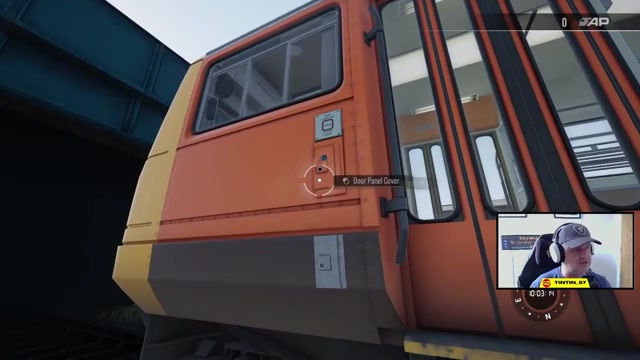
- Unlock the door panel: Use the carriage key to unlock the doors. Open the local door, then close it and lock the panel again. (This step’s tedious on trains like the Pacer with multiple doors, but it’s necessary.)
- Enable the master key: Turn on the master electrical key.
- Set direction: Select Forward.
- Enable lights: Turn on headlights and the destination light.
- Set the destination blind: Change the destination display to “SPECIAL” (or your preferred label).
These steps prepare the train for operation and ensure it’ll respond to your controls.
Step 7: Set a Path Using the Mini-Map#
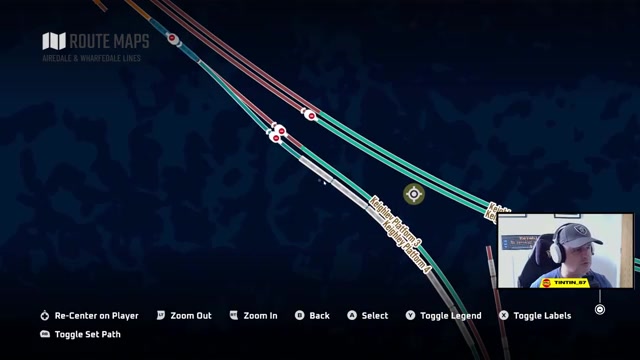
Before moving the train, you must set a path to clear all red signals. Open the mini-map (or press the mini-map button on your controller). Zoom in on your current location. You’ll see your train and the track ahead. Click on your train icon and select Set Path. Then zoom out slightly and click on a point ahead on the track where you want the train to go. The game will calculate a route and assign signals accordingly.
The mini-map initially shows the heritage railway’s destination marker at roughly half a mile ahead. You can set your destination there, but know that the actual track extends much further—setting the path will only clear signals up to your chosen destination. You can always reset the path later to explore further.
Step 8: Remove Obstructing Coaches#
Before you move the train, check the track ahead. If parked coaches (from the heritage railway’s static consist) are blocking your path, you’ll need to remove them. Click on the coaches using the mouse or controller selection tool. A menu will appear. Select Remove Train and confirm. The coaches will disappear, clearing the track.
Step 9: Drive the Keighley & Worth Valley Railway#
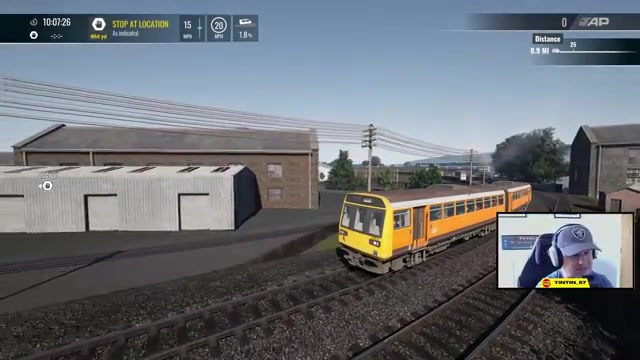
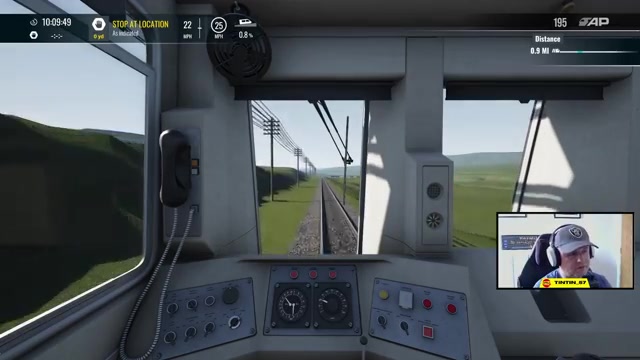
You’re now ready to drive. Release the brakes, open the throttle, and begin moving forward along the branch line. The track is modeled with realistic gradients—you’ll climb uphill as you progress. Speed restrictions apply; the initial section allows 20 mph, which is appropriate for a heritage railway. You can accelerate further as track conditions permit, and the game will award points for maintaining appropriate speeds and following signals.
As you drive, you’ll pass through multiple sections of the route: leaving Keighley station behind, passing signal boxes, crossing a bridge (the transcript humorously notes a “missing bridge,” but the train crosses it without issue), traveling through moorland and rural areas with telegraph poles guiding the way, and encountering multiple sidings on both sides of the track. The scenery becomes progressively less detailed as you travel further from Keighley, but the track, signals, and infrastructure remain fully modeled.
Step 10: Explore Beyond the Initial Destination Marker#
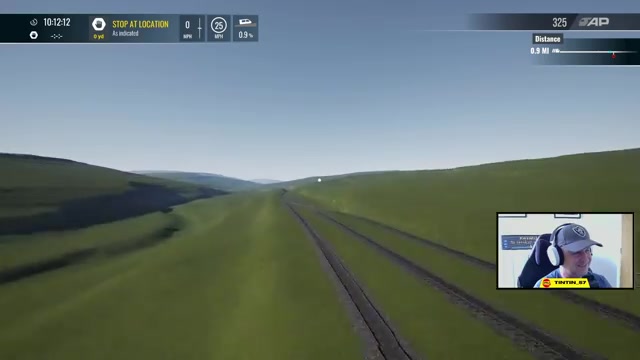
The mini-map initially shows the heritage railway extending to a certain point (roughly 3/4 mile from the starting location). If you continue driving past this marker, you’ll discover that the track extends even further. You can drive beyond the destination marker without penalty—the game continues to award points. Keep driving uphill, following the signals and track. You’ll eventually encounter a steep hill with a rocky outcrop. At this point, you can’t drive forward anymore; an invisible barrier stops the train. This is the furthest point accessible by driving.
Discovering the Hidden Track Beyond the Driving Boundary#
Once you’ve reached the invisible barrier where you can’t drive any further, there’s a bonus discovery. If you switch to the eight-camera view (an external, free-flying camera mode in Train Sim World), you can fly the camera over the rocky outcrop and see what lies beyond the driving boundary. The transcript reveals that the track continues significantly further than the drivable section—there are additional tunnels, more signals, sidings, double-track sections, signal boxes, and even a buffer point with more sidings. This suggests that the Keighley & Worth Valley Railway is much more extensively modeled than is currently accessible to you, which many interpret as a hint that this route may become a full DLC expansion in the future.
To view this hidden track, pause your train at the barrier, switch to the eight-camera mode (the exact control varies by input device), and navigate the camera upward and forward to see over the hill. You can then follow the invisible track and see how far the modeling extends.
Troubleshooting & Common Mistakes#
- Can’t spawn a train: Verify you own the locomotive DLC. Free Roam train spawning only works with locomotives in your library. If you don’t own any heritage stock, purchase a heritage locomotive pack first.
- Red signals block the path forward: You haven’t set a path on the mini-map yet. Open the mini-map, select your train, click “Set Path,” then click a destination point ahead. This clears the signals.
- Train won’t move: Make sure the master key is on, the direction is set to Forward, and the brakes are released. Check that doors are locked (the door panel must be locked before the train can move).
- Can’t find the fence to cross: Walk all the way to the end of the Keighley platform, away from the station building. The fence ends naturally; you’ll know when you’ve reached it because you can walk freely onto the track.
- Coaches are blocking the track: Use the mouse or controller to click on the parked coaches, then select “Remove Train” from the menu. They’ll disappear.
- Train is too long for the spawn area: Choose a shorter consist (the 30-meter two-coach variant is recommended). If you spawn a very long train, it may not fit in the available space and could cause issues.
- Can’t see the red signal landmark: The signal is in the bushes to your right as you walk along the track. It’s subtle, but it’s there to orient you. If you miss it, just keep walking forward until you hit the invisible wall.
Advanced Tips & Time Saves#
Choosing Your Heritage Locomotive: The Pacer is iconic and photogenic, making it a good choice for screenshots and video content. However, if you own a Class 31 or Class 37, either would work just as well and might be easier to operate (fewer doors to manage). The heritage railway doesn’t restrict locomotive choice—pick whichever you prefer to drive.
Resetting the Path for Further Exploration: If you want to drive beyond your initial destination marker, you can reset the path on the mini-map partway through the route. This lets you continue driving into areas that would otherwise be blocked by red signals. Simply open the mini-map again, set a new path to a point further ahead, and the signals will clear accordingly.
Using the Eight-Camera for Scouting: Before committing to a long drive, use the eight-camera mode to scout ahead and see the track layout. This is especially useful if you want to plan your route or take scenic screenshots. The eight-camera can go places the train can’t, so you’ll see the full extent of the modeled track.
Photography and Thumbnails: The heritage railway offers excellent photo opportunities. The landscape transitions from urban station to moorland, and the vintage locomotives photograph well. The transcript mentions taking screenshots for content creation—this is a great location for that. Use the F12 screenshot function (or your platform’s native screenshot tool) to capture images.
FAQ#
Do I need to own the Keighley & Worth Valley Railway as a separate DLC to access it?#
No, the Keighley & Worth Valley Railway is included as a hidden feature within the Erdale and Wharfdale route that comes with Train Sim World 7. You don’t need to purchase a separate DLC. However, you do need to own at least one heritage locomotive DLC (such as the Pacer and Blackpool Branches pack) to spawn a train to drive on it.
Which locomotives can I drive on the Keighley & Worth Valley Railway?#
Any heritage locomotive that you own can be driven on the Keighley & Worth Valley Railway, as long as it fits the available track and platform space. The transcript mentions the Pacer, Class 31, and Class 37 as examples. You must own the DLC for the locomotive to be available for selection in Free Roam mode.
How far does the Keighley & Worth Valley Railway track extend?#
The drivable track extends for at least 3/4 of a mile beyond Keighley station, ending at an invisible barrier on a hillside. However, the modeled track (visible via the eight-camera mode) extends significantly further—the transcript reveals multiple additional tunnels, sidings, signal boxes, and track sections that aren’t currently accessible by driving. The full extent of the modeled route is unknown, but it’s extensive enough to suggest this may be a foundation for a future full DLC expansion.
Can I pick up passengers on the Keighley & Worth Valley Railway?#
Yes, there are passenger figures on the platform at Keighley station and along the route. You can roleplay picking up passengers if you’d like, though the game doesn’t enforce or track this mechanically. The heritage railway is presented as a scenic drive rather than a full timetable service with revenue or passenger mechanics.
What does it mean that there’s a “missing bridge” on the route?#
The transcript humorously notes that there’s a bridge crossing that appears incomplete or visually odd, but the train can cross it without issue. The author jokes, “Don’t look down”—it’s a minor visual quirk in the modeling, not a barrier to progress. You can safely drive across it.
Is the Keighley & Worth Valley Railway a sign that it will become a full DLC route in the future?#
The extensive modeling of the hidden track—including tunnels, sidings, signal boxes, and telegraph poles—suggests this may be preparation for a future full DLC expansion of the Keighley & Worth Valley Railway. However, that’s speculation based on the level of detail present. There’s no official announcement in the transcript. The author expresses hope that it’ll become a full route DLC eventually.
Checklist#
- Verify you own Train Sim World 7 and the Erdale and Wharfdale route.
- Verify you own at least one heritage locomotive DLC (Pacer and Blackpool Branches, Class 31, Class 37, etc.).
- Load the Erdale and Wharfdale route from the main menu.
- Select Keighley as your spawn location in Timetable mode.
- Spawn on foot at Keighley Main Railway Station.
- Walk down the platform away from the station building until you reach the fence.
- Follow the fence until it ends, then walk freely onto the heritage railway’s trackbed.
- Walk past the red signal in the bushes and continue until you hit an invisible wall (the access boundary).
- Open the Free Roam menu (Left D-pad on controller) and spawn a heritage locomotive of your choice.
- Orient the train correctly (press Y on controller) to face forward along the branch line.
- Board the train and complete pre-departure setup: unlock doors, enable master key, set direction to Forward, enable lights, set destination blind.
- Open the mini-map, select your train, set a path forward to clear red signals.
- Remove any parked coaches blocking the track using the mouse or controller selection tool.
- Release brakes and drive the Keighley & Worth Valley Railway, following signals and speed restrictions.
- Continue driving past the initial destination marker to explore the full extent of the drivable track.
- (Optional) Switch to eight-camera mode to scout the hidden track beyond the driving barrier.
Source & credit#
This guide draws on the excellent video walkthrough by TinTin_57 — watch it for the full visual run-through, and give the creator your view:
https://www.youtube.com/watch?v=lPRAGazezXYFollowing Train Sim World 7? Get an email when we publish a new guide — or update one after a patch.