
30-Second Quick-Start (TL;DR)#
- Start in Muddy Market, the first open area where most vendors and shops are located.
- Use the scan function to quickly locate specific vendors and NPCs in the city.
- Visit the hardware store to buy equipment like drinks machines and furniture for your restaurant.
- Talk to NPCs throughout the city to unlock recipes, which tell you what ingredients and equipment each dish needs.
- Return to vendors regularly to restock ingredients as your supplies run low.
- Check the menu overview to see which ingredients are needed for your current recipes.
- As you level up your business, new shops and vendors unlock in other city districts.
- Build relationships with vendors over time to learn where to find specific items quickly.

What This Guide Helps You Do#
This guide shows you exactly where to find ingredients and decorations in Nivalis Nights, how to navigate the vendor system, and how to efficiently restock your restaurant as your business grows. You’ll learn which shops sell what, how to use the city’s scanning system to locate vendors fast, and the routine that keeps your noodle bar (or other business) stocked and decorated. It’s essential for anyone opening their first restaurant in Nivalis Nights—especially if you’re overwhelmed by Muddy Market’s crowded layout or unsure where to buy the specific items your recipes demand.
Requirements & Prep#
Before you start shopping, you’ll need to have started a restaurant business and received at least one recipe from an NPC conversation. The game guides you through this naturally in the opening, so you won’t miss it. You should also have some starting capital (the game gives you enough to begin), and you’ll need access to Muddy Market, the first city area where most vendors operate.
The game works with mouse and keyboard (the review build used M&K, and it felt comfortable for navigating menus). Gamepad support is listed in the guide, so either control method will work at launch.
Optional but Helpful: Before your first shopping trip, open your menu and check which ingredients and equipment your current recipes need. This saves you from wandering aimlessly and helps you prioritize what to buy first.
Route Overview#
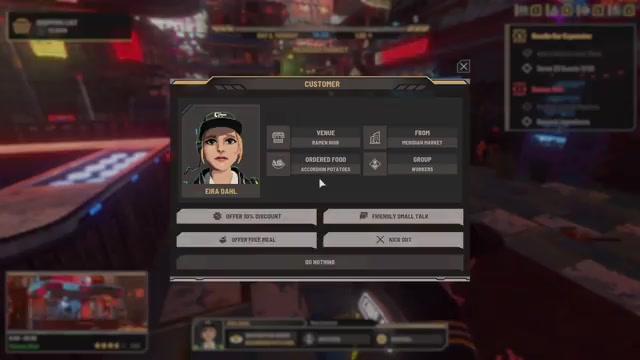
Nivalis Nights isn’t a seamless open world. You start in Muddy Market, a crowded, colorful area with shops tucked into side streets and buildings rising above you. You’ll spend most of your early game time here buying ingredients and decorations. As you progress and level up your business, other sections of the city unlock, each with their own vendors and shops. The city’s layout can feel overwhelming at first, but the game provides excellent guidance: objectives point you toward what matters, and you can scan the area to quickly locate specific people and vendors instead of wandering.
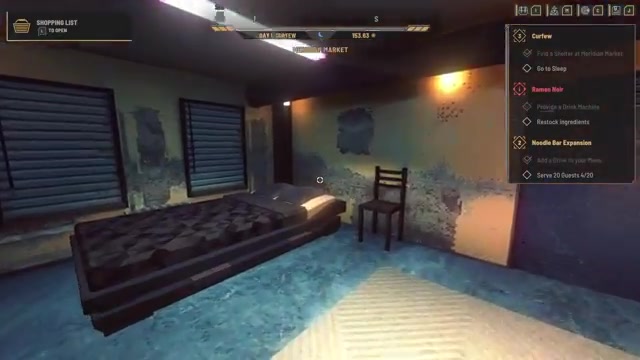
Your typical shopping routine works like this: close your restaurant, use the remaining time to explore the market and restock ingredients, then head home to sleep and start a new day. Over time, you’ll learn which vendors have what you need and develop a faster route through the market. As you unlock new city districts and level up your business, you’ll have access to more shops and better items.
Step-by-Step Walkthrough#
Understanding Muddy Market’s Layout#
When you first arrive in Muddy Market, the sheer number of people and shops can feel overwhelming. The crowd is intentional—it makes the city feel alive—but only a select group of NPCs will actually talk to you. The key isn’t to wander randomly. Instead, use the scan function built into the game. This lets you quickly locate specific vendors and NPCs without exploring every corner. Since the market is layered with shops tucked into side streets and buildings rising above you, scanning saves enormous amounts of time.
Using the Scan Function to Find Vendors#
Open your scan menu (the exact button depends on your control setup, but it’s clearly listed in the controls menu). The scan function highlights or marks vendors and NPCs on your screen, making it easy to navigate directly to the person or shop you need. It’s your fastest way to find ingredient vendors, equipment shops, and NPCs who offer quests or recipes. If you’re looking for a specific vendor or item type, scan first before walking around blindly.
Locating the Hardware Store for Decorations and Equipment#
The hardware store is your primary source for decorations, furniture, and equipment like drinks machines. It’s physical and intuitive: you go inside, find the item you want on the shelf, and pick it up. This means you can browse what’s available before committing to a purchase. The hardware store stocks a wide variety of items, and as you improve your restaurant and unlock new recipes, you’ll return here to buy the equipment those dishes require. For example, if a recipe calls for a drinks machine, you’ll find it in the hardware store, grab it from the shelf, and carry it back to your restaurant to install it.
Buying Ingredients from Market Vendors#
Ingredient vendors are scattered throughout Muddy Market. Each dish on your menu lists the specific ingredients it needs. When you’re restocking, check your menu to see what you’re low on, then scan for the appropriate vendor. Ingredients have two important stats: price and freshness. As you learn which vendors have what you need and spend time in the market, you’ll develop a sense of which vendors offer the best value and freshness. You’ll typically need to visit multiple vendors to fully restock rather than finding everything at one shop.
Talking to NPCs to Unlock Recipes#
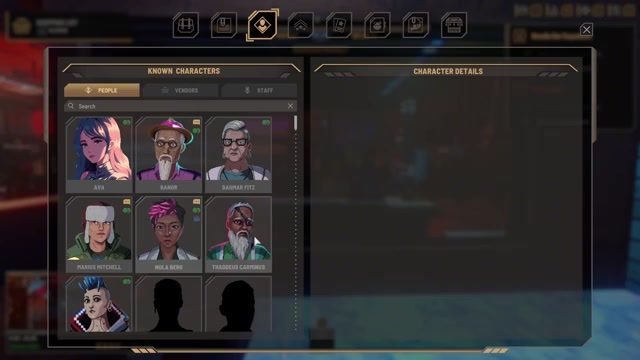
NPCs throughout the city offer recipes when you talk to them. Each recipe tells you exactly what ingredients and equipment it needs. This is how you discover what to buy and what to stock in your kitchen. Talk to NPCs regularly as you explore the market, and they’ll offer you new recipes that expand your menu. The game tracks your conversation history with each character, so you can review what you’ve learned about them and which recipes they’ve offered.
Restocking as You Run Low#
As soon as you run out of ingredients, customers will stop ordering dishes that require those items. The moment you restock, people return and start ordering again. This creates a natural rhythm: close your restaurant, head into the market to buy ingredients, return to stock your kitchen, then open again the next day. Your inventory screen shows exactly how much of each ingredient you have, so you can see at a glance what needs restocking. Over time, you’ll learn the vendors’ locations and develop a quick route through the market.
Unlocking New City Districts and Vendors#
As you progress and level up your business (like when Rama Noir reaches level two), new sections of the city unlock. Each district brings new vendors, shops, and NPCs. You don’t have immediate access to all of Nivalis Nights at the start—the city opens up as you play. This means your shopping options expand over time, and you’ll eventually have access to more vendors and potentially better items.
Troubleshooting & Common Mistakes#
- Getting lost in Muddy Market: Don’t wander randomly. Use the scan function to locate the specific vendor or shop you need. It’s much faster than exploring by foot.
- Running out of a key ingredient: Check your menu to see which dishes use that ingredient, then prioritize restocking it. If customers see that dishes are unavailable, they’ll get frustrated and leave negative reviews.
- Forgetting to check equipment needs: Each recipe needs specific equipment (like a drinks machine). If you don’t have the equipment, you can’t serve the dish. Always check the recipe details before buying ingredients.
- Not talking to NPCs: NPCs offer recipes and quests. If you skip conversations, you’ll miss out on new menu items and story content. Talk to NPCs regularly as you explore.
- Buying low-freshness ingredients: Ingredients have freshness ratings. Lower freshness might affect customer satisfaction. Learn which vendors offer the freshest stock and prioritize them when possible.
- Overstocking too early: Don’t buy massive amounts of ingredients before you unlock recipes that use them. You’ll waste money on items that sit in your inventory. Buy what you need for your current menu, then restock as you unlock new dishes.
- Missing the hardware store: If you can’t find it, use the scan function. It’s a physical building in Muddy Market, not just a vendor you talk to. You walk inside and browse items on shelves.
- Not checking the menu overview: Your restaurant management screen shows which ingredients you need for your current menu. Check this before heading to the market so you know exactly what to buy.
Advanced Tips & Time Saves#
Once you’ve learned the market layout and vendor locations, develop a consistent shopping route. Visit vendors in a logical order to minimize backtracking. As you level up your business and unlock new areas, explore those districts to find vendors who might offer better prices or fresher ingredients. The game hints at a wider scale with 141 vendor entries tracked in the achievements menu, suggesting there are many more vendors to discover than you’ll meet in the first few hours. Spending time building relationships with vendors through repeated interactions may reveal better deals or exclusive items, though the exact mechanics aren’t detailed yet.
If you’re trying to save time, plan your shopping trips efficiently. Close your restaurant at a set time (the example given was 8:00 PM), then use the remaining daylight or evening hours to restock and prepare for the next day. This creates a natural rhythm and ensures you’re never caught unprepared when customers arrive.
FAQ#
Where do I buy ingredients in Nivalis Nights?#
Ingredient vendors are scattered throughout Muddy Market, the first city area you access. Use the scan function to quickly locate the specific vendor you need. Different vendors sell different ingredients, so you may need to visit multiple shops to fully restock. Check your menu to see which ingredients your recipes need, then scan for those vendors.
Where is the hardware store in Nivalis Nights?#
The hardware store is a physical building in Muddy Market where you can browse and buy equipment and decorations like drinks machines and furniture. Use the scan function to locate it if you’re having trouble finding it. Once inside, items are displayed on shelves, and you pick them up directly to purchase them.
How do I know what ingredients and decorations I need?#
Each recipe on your menu lists the specific ingredients and equipment it requires. Open your menu screen to see these details. Talk to NPCs throughout the city to unlock new recipes, which’ll tell you what new ingredients and equipment you need to buy. Your restaurant management overview also tracks your current inventory and menu.
Can I find all vendors in Muddy Market, or do new shops unlock later?#
Muddy Market is where you’ll spend most of your early game time, but as you progress and level up your business, new sections of the city unlock with their own vendors and shops. The game isn’t a seamless open world—you travel to different districts as you progress, so your shopping options expand over time.
What does the scan function do, and how do I use it?#
The scan function lets you quickly locate specific vendors and NPCs without wandering around Muddy Market. Open your scan menu (exact button listed in controls), and it’ll highlight or mark the person or shop you’re looking for on your screen. This is much faster than exploring by foot and is essential for navigating the crowded market.
What happens if I run out of ingredients?#
As soon as you run out of an ingredient, customers will stop ordering dishes that need it. The moment you restock that ingredient, people return and start ordering again. This creates a natural restocking cycle: close your restaurant, buy ingredients, stock your kitchen, then open the next day. Keep your inventory stocked to maintain customer satisfaction and avoid negative reviews.
Checklist#
- Open your menu and check which ingredients and equipment your current recipes need.
- Use the scan function to locate ingredient vendors in Muddy Market instead of wandering randomly.
- Visit each vendor and buy the ingredients you need for your current menu.
- Locate the hardware store and browse its shelves for equipment and decorations your recipes require.
- Pick up equipment items from the hardware store shelves and bring them back to your restaurant to install.
- Talk to NPCs throughout the city to unlock new recipes, which’ll tell you what new ingredients to buy.
- Check your inventory regularly to see what’s running low and what needs restocking.
- Develop a consistent shopping route through the market to minimize backtracking and save time.
- As you level up your business, explore newly unlocked city districts to find additional vendors.
- Close your restaurant at the end of each day and use the remaining time to restock before sleeping.
- Prioritize restocking key ingredients that multiple dishes use to keep customers happy.
- Return to vendors regularly to maintain fresh stock and learn which ones offer the best prices and freshness.
Source & credit#
This guide draws on the excellent video walkthrough by Game With Dave — watch it for the full visual run-through, and give the creator your view:
https://www.youtube.com/watch?v=O28WIFxeVT4Following Nivalis? Get an email when we publish a new guide — or update one after a patch.