- Easy
- Difficulty
- 10 min
- Read time
- 7
- Steps
- 1.0
- Checked on
30-Second Quick-Start (TL;DR)
- Flying uses simple old-school arcade controls—don’t overthink it.
- Queue up crafting and leave the menu; items craft while you explore.
- Meet Paige to unlock the builder, fishing rod, smoother, and glider purchases.
- Rebuild radio towers on each island to unlock new quests and enable autopilot fast travel.
- Your plane is your storage—use the options button to move items from inventory to plane storage.
- Fish by tapping R2 to wiggle the lure, then hold R2 to reel; pull the joystick opposite the fish’s direction to keep tension.
- Hidden underground chests grant extra inventory slots.
- Pirates stun but don’t kill—no combat system exists in the game.
What This Guide Helps You Do
This guide teaches you the core mechanics and systems in Lou’s Lagoon that the game doesn’t explain clearly, so you avoid wasting time figuring out storage, autopilot, fishing, and crafting on your own. It’s designed for first-time players who want to understand the game’s flow before diving in, as well as anyone stuck on a particular system and looking for a quick answer.
Requirements & Prep
You’ll need only a PlayStation controller (the guide references PlayStation X button prompts). The game starts you with basic tools and a plane that doubles as your storage system. No special items or prerequisites exist before you begin—the game opens up naturally as you progress through early quests.
Route Overview
Lou’s Lagoon unfolds across multiple islands connected by flight and fast travel. You’ll start on the main lagoon, fly to meet Paige (unlocking purchases and upgrades), then systematically rebuild radio towers on each island. Each radio tower rebuild opens new quests on that island’s job board and enables autopilot fast travel to that location. Between these milestones, you’re fishing, crafting, building your house, and managing inventory through your plane’s storage system. The game doesn’t force a strict order—you’re free to explore, fish, and complete quests as you prefer once the core systems unlock.
Step-by-Step Walkthrough
Learn Flying with Arcade Controls
Flying in Lou’s Lagoon follows an old-school Nintendo arcade style, not a complex 3D flight simulator. The controls are straightforward and forgiving. Once you get the basic feel for steering and altitude, moving between islands becomes second nature. Don’t expect realistic physics or block controls—just think of it as navigating a 2D space with simple directional inputs. Practice flying to nearby islands early to build confidence before attempting longer routes.
Queue Crafting and Explore While Items Craft
One of the biggest time-savers in Lou’s Lagoon is understanding that you don’t have to stand at the crafting station waiting for items to finish. Select what you want to craft, initiate the process, then close the menu and leave. Your items’ll continue crafting in the background while you explore, complete quests, build structures, or fish. Since some items take considerable time, this freedom is essential to pacing. Return to the crafting station when you’re ready to collect finished items or queue up the next batch.
Meet Paige to Unlock Purchases and Upgrades
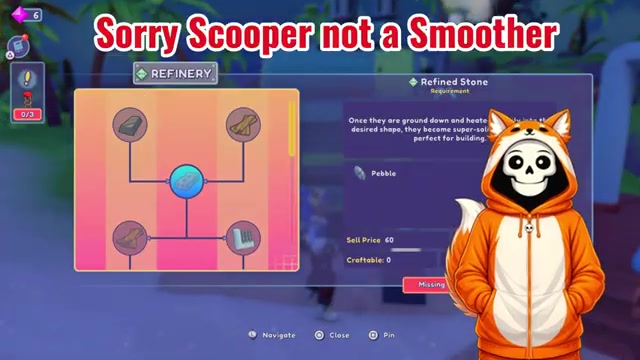
Early in the game, you’ll meet an NPC named Paige. Bringing her back to Lou’s Lagoon unlocks a shop where you can purchase essential tools and upgrades. These include a builder (which lets you construct your own house and adds extra crafting stations), a fishing rod, a smoother (which reveals items and features hidden underground), and a glider. Once you own these items, you can upgrade them whenever you’ve got the required money and materials. This is when Lou’s Lagoon really opens up, giving you much more freedom in how you approach exploration and resource gathering.
Rebuild Radio Towers to Unlock Quests and Fast Travel
Radio towers are scattered across the islands and serve a dual purpose. First, completely rebuilding a radio tower on an island unlocks additional quests from that island’s job board, giving you more tasks to pursue and rewards to earn. Second, it enables autopilot fast travel to that specific island. Radio towers are a key milestone—prioritize them as you visit new islands, since they directly expand your access to content and reduce travel time.
Use Autopilot for Fast Travel Between Islands
Autopilot is Lou’s Lagoon’s fast-travel system, but the game doesn’t explain it clearly. To use it, you must first have rebuilt the radio tower on your destination island. Once that’s done, open your map and select the island you want to visit. On PlayStation, press the X button to bring up an autopilot prompt. Select yes, and you’ll be transported automatically to that island. This beats flying manually, especially for distant islands. Autopilot only works for islands where you’ve completed the radio tower rebuild, so building those towers early pays dividends in convenience.
Store Items in Your Plane, Not Your House
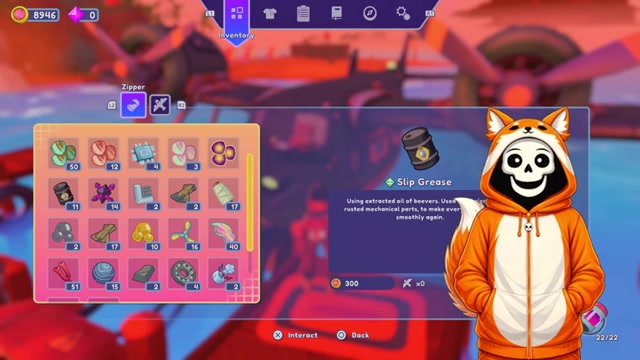
This is one of the most confusing mechanics in Lou’s Lagoon because the game never explicitly tells you: your plane is your storage system. You don’t store items at your house or in a housing plot. Instead, go to your plane, open your inventory, and use the options button to select items you want to store. Then move those items to your plane’s storage. Once you understand it, inventory management becomes much easier. If you’re running low on inventory slots, you can find extra slots from quest rewards and from hidden underground chests (which you’ll uncover using the smoother tool).
Master Fishing with Lure and Tension Control
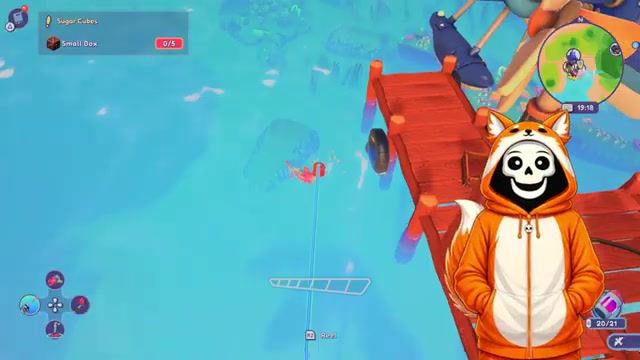
Fishing in Lou’s Lagoon is semi-automatic but not difficult once you learn the rhythm. Start by selecting your fishing rod using the directional pad. Hold R2 to cast your line into the water. Once your lure is in the water, tap R2 repeatedly to wiggle the lure—this attracts fish. When you stop tapping R2, the fish’ll stop biting, so keep tapping until a fish actually bites. The moment a fish bites, switch to holding R2 down to reel it in. Here’s the tricky part: as you reel, the fish will pull in a specific direction. Use the joystick to pull in the opposite direction of the fish’s pull. For example, if the fish is pulling away from you, push the joystick toward yourself while continuing to hold R2. This counterforce keeps your fishing meter from rising too high and prevents the line from breaking. The key is maintaining tension—don’t let the meter max out, but don’t go slack either.

Lou’s Lagoon
Troubleshooting & Common Mistakes
- Stuck in crafting menu: You don’t need to wait at the crafting station. Queue items and leave—they’ll finish while you’re away.
- Autopilot not working: Make sure you’ve fully rebuilt the radio tower on your destination island. Autopilot only functions for islands with completed radio towers.
- Inventory always full: Stop trying to store items at your house. Use your plane’s storage system via the options button instead. Also hunt for hidden underground chests with your smoother to gain extra slots.
- Fish line keeps breaking: You’re not pulling the joystick in the opposite direction of the fish’s pull. Watch which way the fish tugs and counter it immediately with the joystick.
- Can’t find the smoother tool: You unlock the ability to purchase it after meeting Paige. Buy it from the shop, then use it to reveal underground items and features.
- Losing fights to pirates: Pirates don’t deal lethal damage—they stun you. There’s no combat system in Lou’s Lagoon. Just recover from the stun and move on.
- Flying feels clunky: Give it time. The arcade-style flight is intentionally simple. A few practice flights to nearby islands will make it feel natural.
- New quests not appearing: Check if you’ve rebuilt the radio tower on that island. New quests unlock on the job board only after you complete the radio tower.
Advanced Tips & Time Saves
- Chain radio tower rebuilds: Prioritize radio towers early. Each one unlocks new quests and fast travel, creating a snowball effect of content and efficiency.
- Use the smoother proactively: Don’t wait until you’re desperate for inventory slots. Regularly scan islands with your smoother to find hidden chests before you need them.
- Batch your crafting: Queue multiple items at once before you leave the crafting menu. This keeps your crafting stations busy while you handle other tasks, maximizing your time.
- Upgrade tools early: Once you’ve got money and materials, upgrade your fishing rod, smoother, and builder. Better tools make gathering and building faster.
- Fish between other tasks: Fishing is relaxing and doesn’t require constant attention once you understand the mechanics. Use it as a downtime activity while waiting for crafting to finish or between quest runs.
FAQ
How do I store items in Lou’s Lagoon?
Your plane is your storage system. Go to your plane, open your inventory, press the options button, select the items you want to store, and move them to your plane’s storage. Items aren’t stored at your house or housing plot—only in your plane.
How do I use autopilot to fast travel in Lou’s Lagoon?
First, you must rebuild the radio tower on your destination island. Then open your map, select the island you want to visit, press X on PlayStation, and confirm the autopilot prompt. You’ll be transported instantly to that island.
What do I need to do to unlock the builder and fishing rod?
Meet Paige early in the game and bring her back to Lou’s Lagoon. This unlocks a shop where you can purchase the builder, fishing rod, smoother, and glider. You’ll need money and materials to buy these items.
How do I reel in fish without breaking the line?
Hold R2 to reel while pulling the joystick in the opposite direction of the fish’s pull. If the fish tugs away, push the joystick toward you. This counterforce keeps your fishing meter from maxing out and prevents the line from snapping.
Do I have to wait for crafting to finish before I can do other things?
No. Queue up whatever you need to craft, leave the crafting menu, and explore, complete quests, or build while your items craft in the background. Return when you’re ready to collect them.
What are radio towers used for in Lou’s Lagoon?
Rebuilding a radio tower on an island unlocks new quests from that island’s job board and enables autopilot fast travel to that island. Radio towers are key milestones for expanding content and travel options.
Checklist
0 of 12
Source & credit
This guide draws on the excellent video walkthrough by CozyVale — watch it for the full visual run-through, and give the creator your view: